

In a previous article, we analyzed the source code of the popular AI testing tool Midscene.js, focusing on how its main prompts for driving AI execution are set. (See that article 【】)
Recently, I discovered another AI gem, a source-code analysis service launched by Zhipu AI, accessible at
https://zread.ai/
As a product of a Chinese company, it offers excellent support for Chinese.
Using the Tool
After visiting the homepage, you’ll see a typical AI application interface.
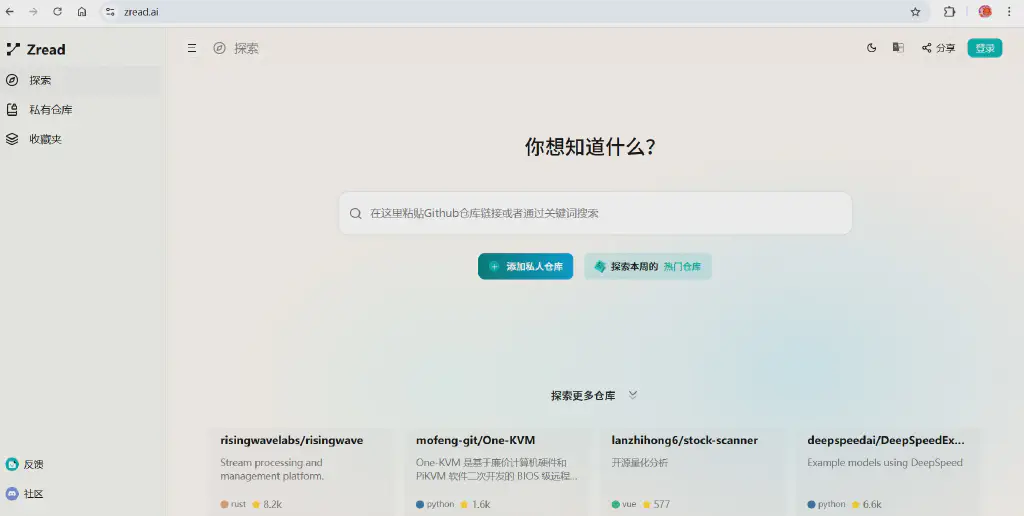
We simply enter the GitHub address of the source-code project we want to analyze into the search box. If the project has already been indexed, pressing Enter will display an overview card for the project.
Or more directly, we can replace github.com in the source address with zread.ai. For example, to analyze the Playwright project, just visit the following address:
https://zread.ai/microsoft/playwright
The analysis page is very comprehensive, covering installation and deployment, architecture analysis, core modules, and more. The figure below shows the Playwright architecture analysis page.
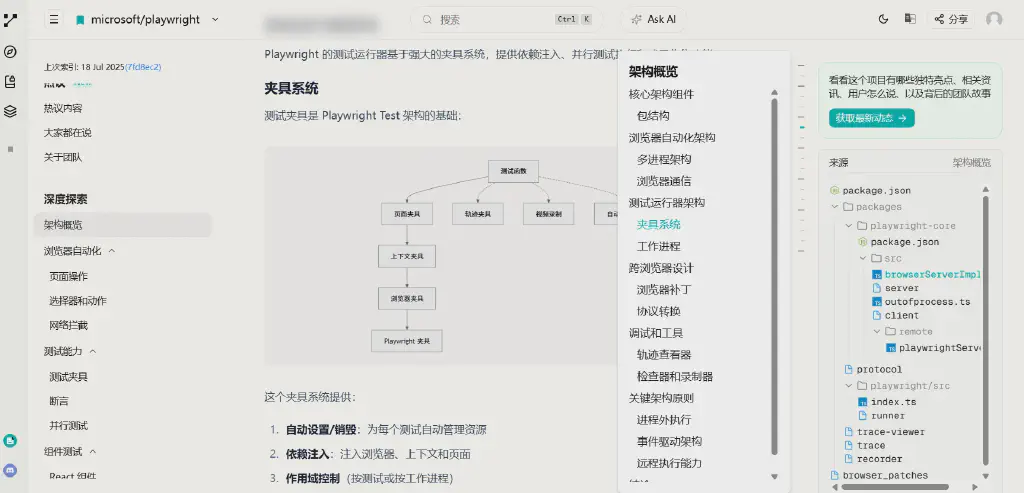
Through the index-generated analysis, we can quickly understand the full picture of an open-source project, along with its core usage and key points.
Further Empowerment with AI
Beyond the tool’s own indexing and analysis of source code, with its built-in large-model integration we can go further and conduct targeted, in-depth analysis of a project to understand its specific details.
We can use its Ask AI feature to communicate deeply with the AI.
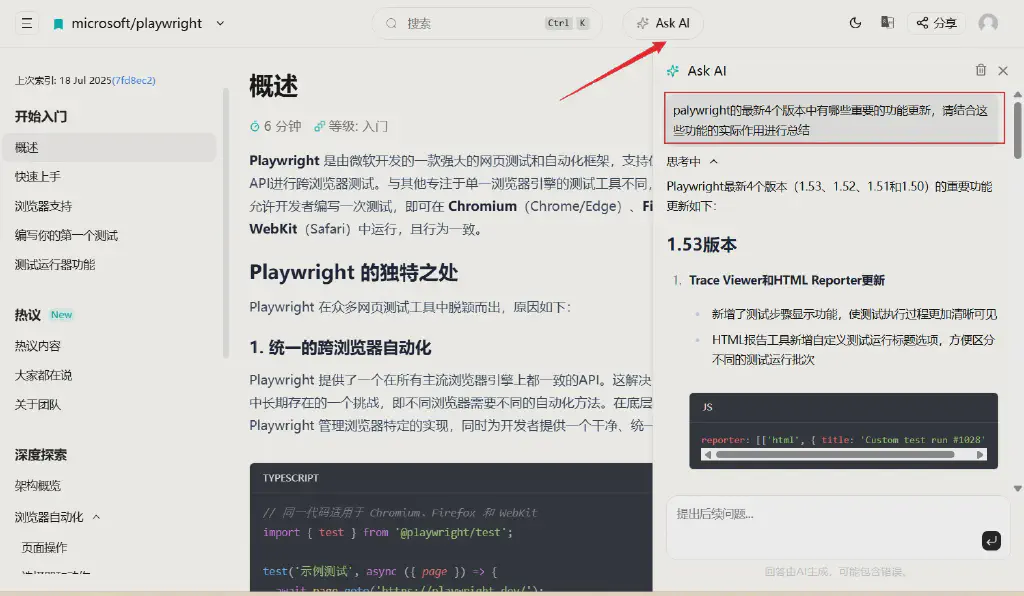
For example, below is a summary I asked it to put together of the key updates and applications in the last four versions of Playwright.
The important feature updates in the latest four versions of Playwright (1.53, 1.52, 1.51, and 1.50) are as follows:
Version 1.53
Trace Viewer and HTML Reporter updates
- Added a test-step display feature, making the test execution process clearer and more visible
- The HTML reporting tool added a custom test-run title option, making it easier to distinguish different test runs
1reporter: [['html', { title: 'Custom test run #1028' }]]New Locator.describe method
- Allows adding descriptive information to a locator, displayed in the trace viewer and reports to improve test readability
1const button = page.getByTestId('btn-sub').describe('Subscribe button');await button.click();Browser version upgrades
- Chromium 138.0.7204.4
- Firefox 139.0
- WebKit 18.5
Version 1.52
New assertion method toContainClass
- Simplifies assertions on element class names
1await expect(page.getByRole('listitem')).toContainClass('done');Aria snapshot enhancements
- Added the
/childrenattribute for strict matching - Added the
/urlattribute for link verification
- Added the
Test project configuration improvements
- Added the
workersproperty to control the number of concurrent worker processes for a test project - Added the
failOnFlakyTestsoption to ensure all tests run stably in CI/CD environments
- Added the
Important changes
- Glob URL patterns no longer support
?and[]; regular expressions are recommended instead Route.continueno longer allows overriding theCookieheader; useBrowserContext.addCookiesinstead
- Glob URL patterns no longer support
Version 1.51
IndexedDB storage state management
- Added support for saving and restoring IndexedDB content, useful for applications using services like Firebase Authentication
1await page.context().storageState({ path: authFile, indexedDB: true });Enhanced error messages - “Copy as prompt”
- Errors in the HTML report, trace viewer, and UI mode now have a “Copy prompt” button
- One-click copy of a pre-filled LLM prompt containing the error message and helpful context
Visible element filtering
- The
Locator.filtermethod gained avisibleoption to match only visible elements
1const todoItems = page.getByTestId('todo-item').filter({ visible: true });- The
Git information integration
- Added the
captureGitInfoconfiguration to show Git commit and diff information in the HTML report
- Added the
Version 1.50
Test step improvements
- Added a
test.steptimeout option to set a maximum runtime for individual steps - Added the
test.step.skipmethod to disable execution of specific test steps
1await test.step('a step', async () => { // this step can have its own timeout independent of the test}, { timeout: 1000 });- Added a
Accessibility testing enhancements
- Extended the
toMatchAriaSnapshotmethod to allow storing snapshots in separate YAML files - Added the
toHaveAccessibleErrorMessageassertion for verifying an element’s aria error message
- Extended the
Snapshot update strategy improvements
- Added the
changedoption forupdateSnapshotsto update only changed snapshots - Added the
updateSourceMethodoption to define how source code is updated, addingoverwriteand3-waymodes
- Added the
UI updates
- Improved attachment display in the HTML report
- Codegen added an element-picker button for generating aria snapshots
- Added detailed information about API calls into the trace display
These updates together improve Playwright’s testing capabilities, debugging experience, and reporting features, making test automation more reliable and efficient.
Proactive Indexing and Private Repositories
Besides popular open-source projects that Zread has already indexed in advance, some newer or personal projects may not yet have been indexed; entering the project address lets you proactively start indexing, and analysis completes after a short wait.
For example, below is a test practice project I open-sourced a while ago, with indexing triggered proactively.
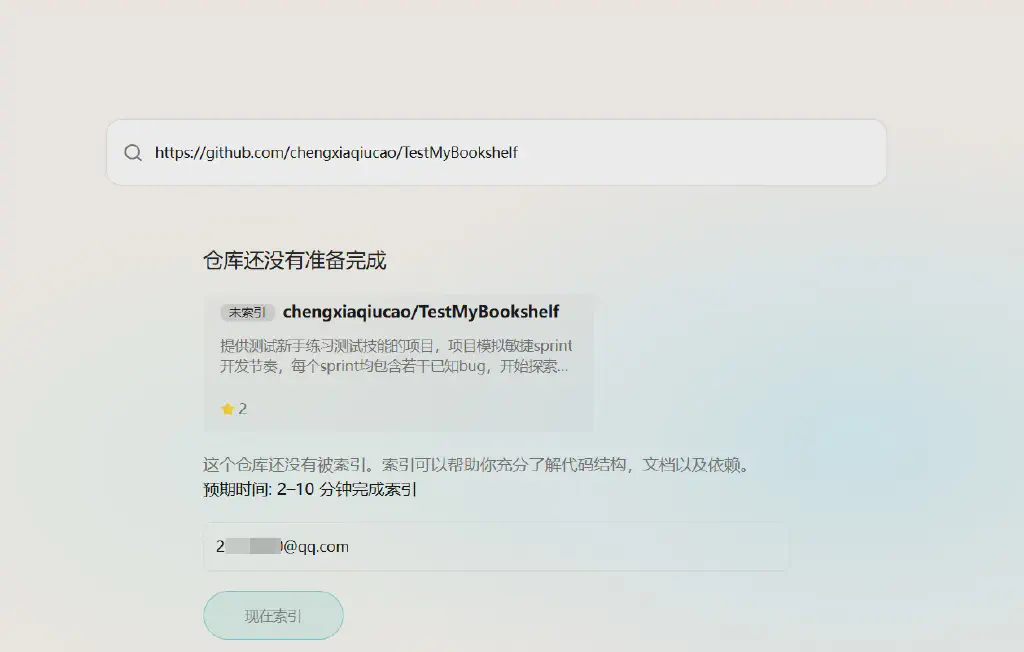
Soon I got a complete introduction and core code analysis for this project.
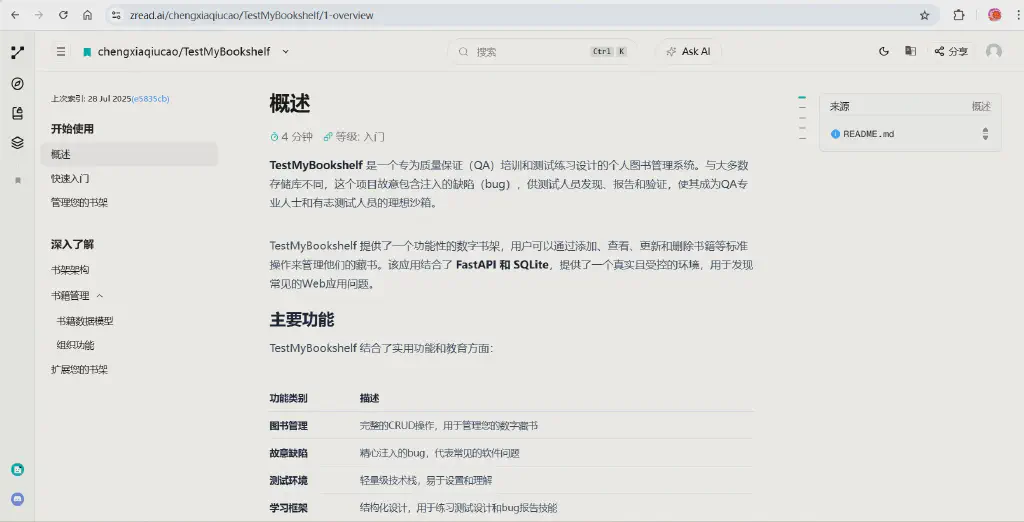
For some non-public private repositories, you can also grant code-read permission to Zread.ai through authorization to achieve the same goal.
Conclusion
In short, this tool is absolutely a powerful assistant for quickly understanding an open-source project, and I highly recommend it~~