Preface
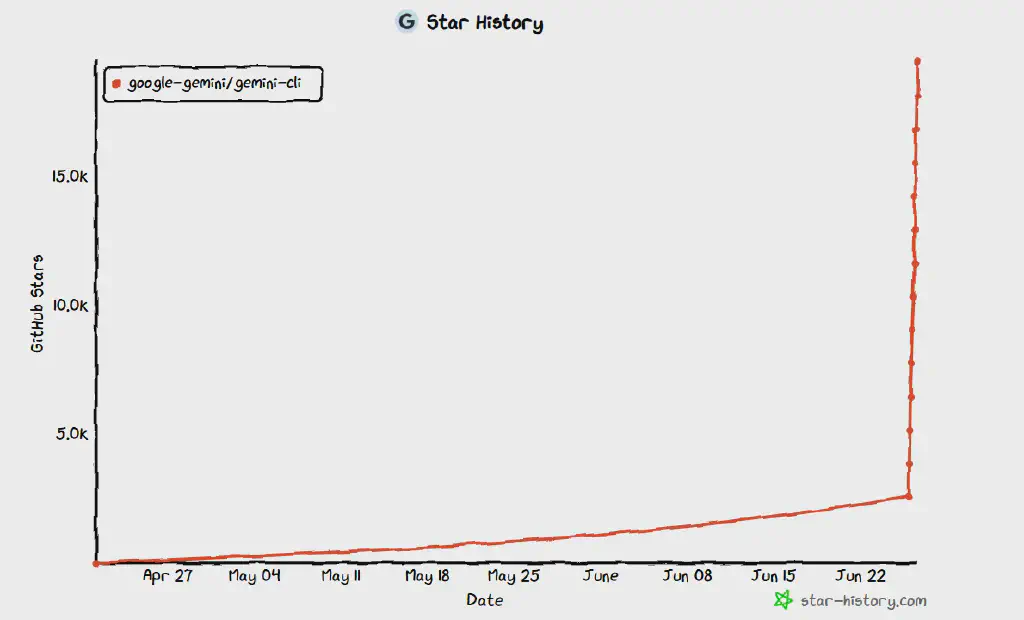
Yesterday (2025-6-25), Google made a big splash by open-sourcing a command-line-based AI coding Agent, Gemini-Cli, which deeply integrates AI-assisted programming into the Terminal command-line interface that developers know best. It also directly incorporates Google’s latest Gemini 2.5 Pro capabilities, free for developers to use (with a cap, but a generous one). In just one day, it shot up to 20K stars on GitHub, a clear sign of just how enthusiastic developers are about this tool!!
Open-source project address: https://github.com/google-gemini/gemini-cli
The star history, a terrifying vertical climb 😂
Below we bring you an out-of-the-box hands-on experience!
Installation
Installing Gemini-Cli is very convenient. It depends on node.js; make sure Node.js 18 or above is installed on your machine, then simply run:
1
| npx https://github.com/google-gemini/gemini-cli
|
Or install it with npm and then run gemini
1
2
| npm install -g @google/gemini-cli
gemini
|
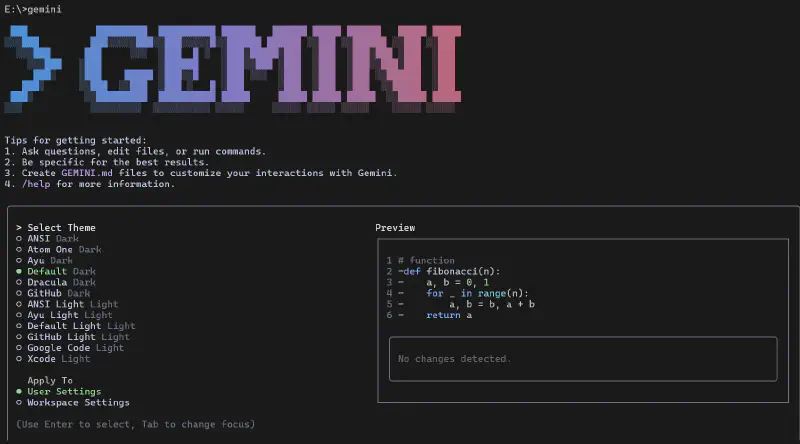
This brings you to the command-line startup screen:
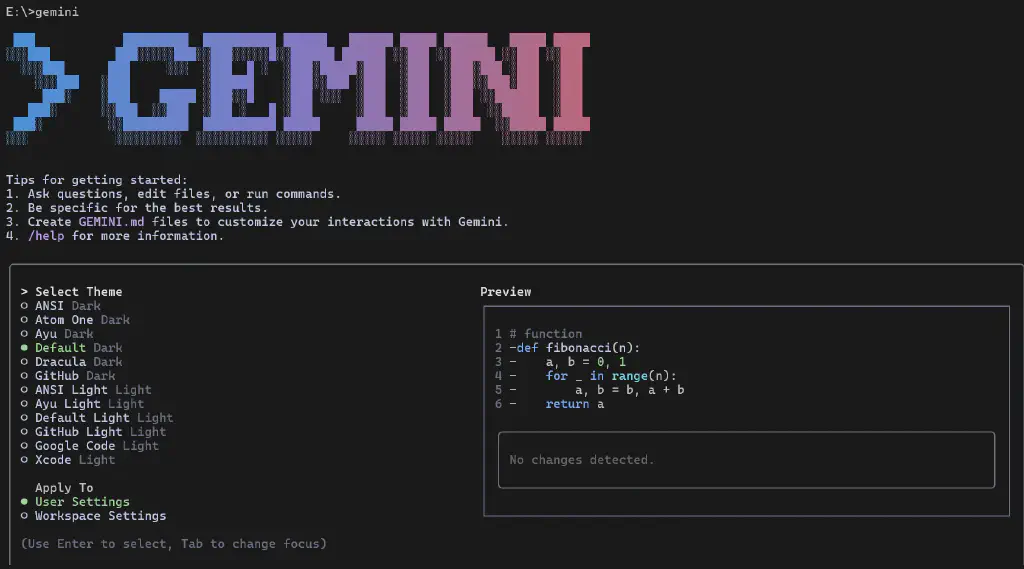
Pick a coding theme you like, and you will then be prompted to authenticate; usually you can simply sign in with your Google account. Once authorization shows the following information, you can continue using it.
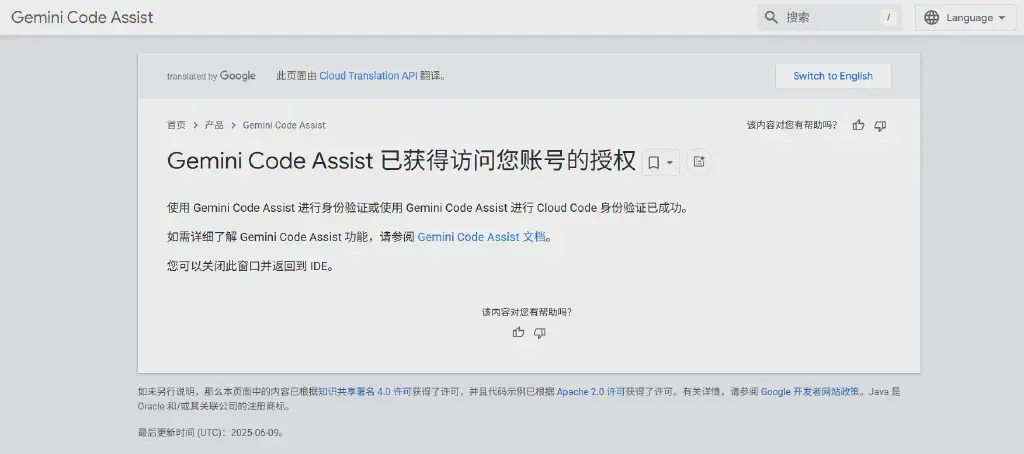
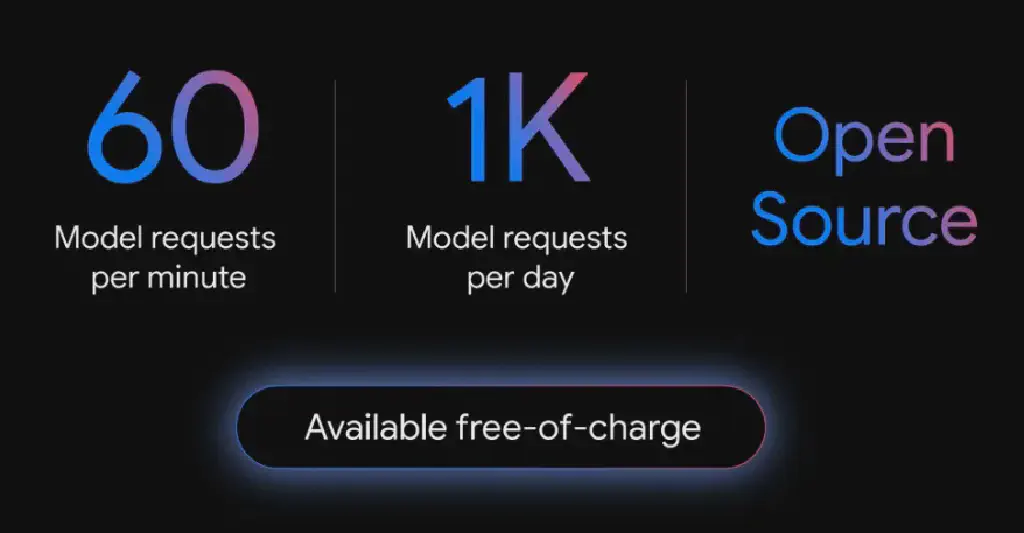
After authorization, you have access to a number of large AI models by default, including Gemini 25 pro, and it “lavishly” provides 60 requests per minute and 1,000 per day of AI calls. Compared with many other large models that still impose limits by token count, this is genuinely generous! Compared with Cursor’s paid tier, which caps usage at 500 requests per month, Cursor must be crying in the bathroom by now~~
Hands-on Results
Without further ado, as a testing professional, I first asked it to help build an AI-based test case generation tool.
The instruction I gave is as follows
1
2
| Write a web program that supports uploading a requirements document and calls AI capabilities to convert it into test cases. The cases are displayed on the page in table form, with fields including Case ID, Case Name, Description, Test Steps,
Priority, Pass Criteria, Associated Requirement ID (optional), etc.
|
Very quickly, after a brief analysis, it produced an implementation plan.
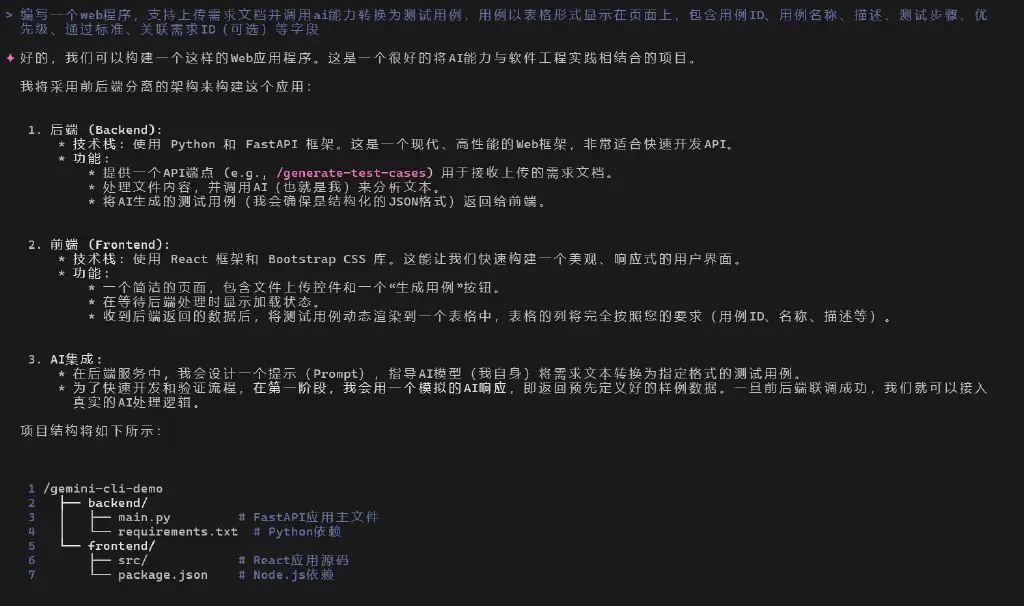
As the actual work began, it automatically created the relevant code files and guided me step by step to complete everything from data mocking to real AI capability integration.
After more than half an hour of collaboration (mostly pasting error messages back to it whenever errors came up), we finally succeeded in building a basic AI test case generation tool.
For example, I uploaded the requirements req-sprint0.md from a testing practice site I had open-sourced earlier:
  1
  2
  3
  4
  5
  6
  7
  8
  9
 10
 11
 12
 13
 14
 15
 16
 17
 18
 19
 20
 21
 22
 23
 24
 25
 26
 27
 28
 29
 30
 31
 32
 33
 34
 35
 36
 37
 38
 39
 40
 41
 42
 43
 44
 45
 46
 47
 48
 49
 50
 51
 52
 53
 54
 55
 56
 57
 58
 59
 60
 61
 62
 63
 64
 65
 66
 67
 68
 69
 70
 71
 72
 73
 74
 75
 76
 77
 78
 79
 80
 81
 82
 83
 84
 85
 86
 87
 88
 89
 90
 91
 92
 93
 94
 95
 96
 97
 98
 99
100
101
102
103
104
105
106
107
108
109
110
111
112
113
114
115
116
117
118
119
120
121
122
123
124
125
126
127
128
129
130
131
132
133
134
135
136
137
138
139
140
141
142
143
144
145
146
147
148
149
150
151
152
153
154
155
156
157
158
159
160
161
162
163
164
165
166
167
168
169
170
171
172
173
174
175
176
177
178
179
180
181
182
| ### Personal Book Management System - Iteration 1 Requirements Document
**Version**: v1.0
**Goal**: Implement basic create, read, update, and delete (CRUD) functions for personal books
---
#### **User Story 1 - Adding a Book**
**As a** book collector
**I want to** add a new book to my library
**So that** I can keep a record of the books I own
**Acceptance Criteria (Given-When-Then):**
1. **Successful Addition**
- *Given* the user is on the "Add Book" page
- *When* the required fields (Book Title, Author) are filled in and Submit is clicked
- *Then* the system saves the book, shows an "Added successfully" message, and navigates to the book list page
2. **Addition Failed (Missing Validation)**
- *Given* the user has not filled in "Book Title" or "Author"
- *When* the Submit button is clicked
- *Then* the system shows a red error message below the corresponding field
---
#### **User Story 2 - Viewing the Book List**
**As a** book collector
**I want to** view the list of all books
**So that** I can quickly browse my collection
**Acceptance Criteria:**
1. **Basic List Display**
- *Given* at least one book exists
- *When* the user visits the home page
- *Then* all books are shown in a table (including at least name, author, and reading status)
2. **Empty State Handling**
- *Given* there are no books
- *When* the user visits the home page
- *Then* a "No books yet, click to add" prompt and a navigation link are shown
---
#### **User Story 3 - Editing Book Information**
**As a** book collector
**I want to** edit book information
**So that** I can update a book's status or notes
**Acceptance Criteria:**
1. **Successful Edit**
- *Given* the user enters a book's "Edit" page from the list page
- *When* a field is modified (such as updating the reading status to "Read") and submitted
- *Then* the system saves the changes, returns to the list page, and shows the updated data
2. **Invalid Data Interception**
- *Given* the user enters letters in the price field
- *When* Submit is clicked
- *Then* the system blocks submission and shows "Please enter a valid number"
---
#### **User Story 4 - Deleting a Book**
**As a** book collector
**I want to** delete books I no longer need
**So that** my library stays tidy
**Acceptance Criteria:**
1. **Deletion Operation**
- *Given* the user is on the book list page
- *When* a book's "Delete" button is clicked
- *Then* the system removes the book and the list refreshes in real time
---
#### **User Story 5 - Searching Books**
**As a** book collector
**I want to** search books by name or author
**So that** I can quickly locate the book I want
**Acceptance Criteria:**
1. **Basic Search**
- *Given* the user types a keyword into the search box at the top of the list page
- *When* the "Search" button is clicked
- *Then* the system shows books whose name or author matches (case-insensitive)
---
### Field Definitions (Book Attributes)
| Field | Type | Required | Description | Example |
|--------------|----------|------|-------------------------------|----------------------|
| Book Title | Text | ✓ | Book title (length ≤ 100 characters) | The Three-Body Problem |
| Author | Text | ✓ | Author name (length ≤ 50 characters) | Liu Cixin |
| Synopsis | Long Text | ✗ | Book description (length ≤ 500 characters) | A sci-fi masterpiece... |
| Publication Date | Date | ✗ | YYYY-MM-DD format | 2008-01-01 |
| List Price | Decimal | ✗ | Positive number (≥ 0) | 68.5 |
| User Purchase Price | Decimal | ✗ | Positive number (≥ 0) | 52.0 |
| User Notes | Long Text | ✗ | Reading notes (length ≤ 1000 characters) | A stunning view of the cosmos... |
| Reading Status | Enum | ✗ | To Read / Read / Reading (default To Read) | To Read |
| In-Library Status | Enum | ✗ | In Library / Borrowed In / Lent Out / Archived (default In Library) | Lent Out |
| Self-Rating | Integer | ✗ | 1-5 stars (default 3 stars) | 5 |
---
### Tech Stack
| Module | Technology Choice |
|--------|-----------------------|
| Backend | Python + FastAPI |
| Database | SQLite |
| Frontend | HTML/CSS + Bootstrap |
| API Interaction| AJAX (Fetch API) |
|
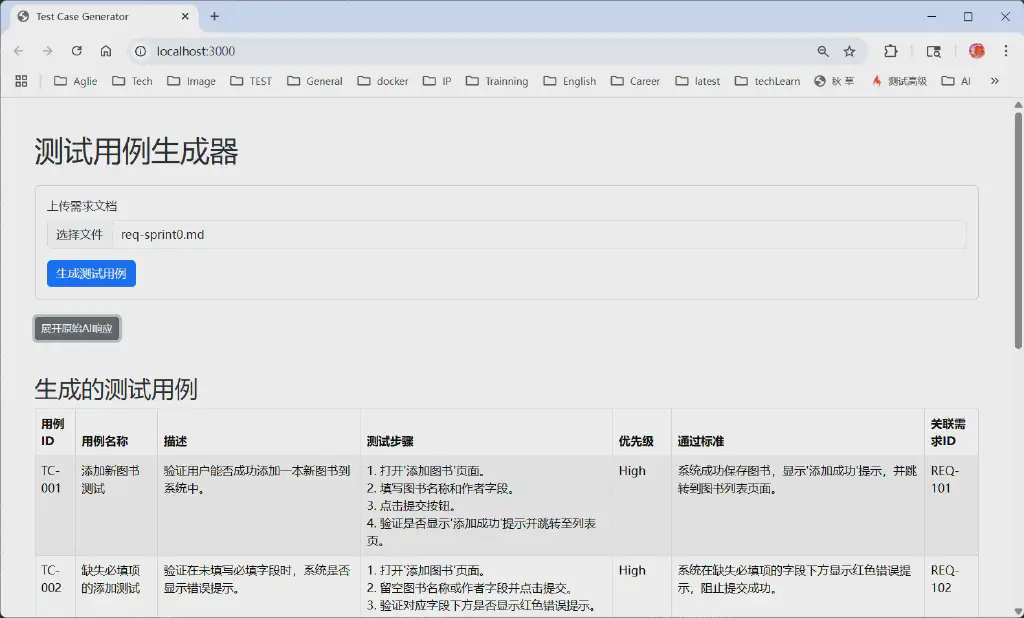
The developed program calls DeepSeek deployed locally via Ollama, and then generates test cases! The interface is as follows:
It really is too good to pass up! Go recommend it to your friends~~
Reply with 进群 to join Qiucao’s tech discussion group, share techniques with friends, and exchange news~~
Reply with 大纲 to view the detailed syllabus of Qiucao’s advanced systematic testing technology course 😉😉😉