Preface
Postman has long been the leading testing tool in the field of API testing. With its friendly interface, convenient editing of API requests, powerful scripting support and cloud services, and a rich ecosystem, it has found extremely wide application in API development and testing.

But as a commercial tool, many of its advanced features rely on cloud services and come at a steep price. Although the free basic version is also powerful and meets most usage needs, as the tool itself becomes more integrated with cloud services and evolves further toward a collaboration platform, even the basic version now requires registering and logging into the cloud service before it can be fully used.
Yet this restricts many use cases that operate without an internet connection, and its frequent syncing mechanism and connection stability requirements have also drawn considerable criticism.
Many people troubled by these limitations of Postman have been looking for alternative tools similar to it. In this article, we introduce a rising star in API testing, the open-source API testing tool Bruno
As can be seen from the GitHub star trend, Bruno was born not long ago, but starting in 2024 it began to attract widespread attention, with its star count soaring all the way — unlimited potential!

Bruno Introduction
It is fair to say that Bruno targeted the aforementioned pain points of Postman from the very beginning. The main features highlighted on its official homepage also emphasize exactly these points:
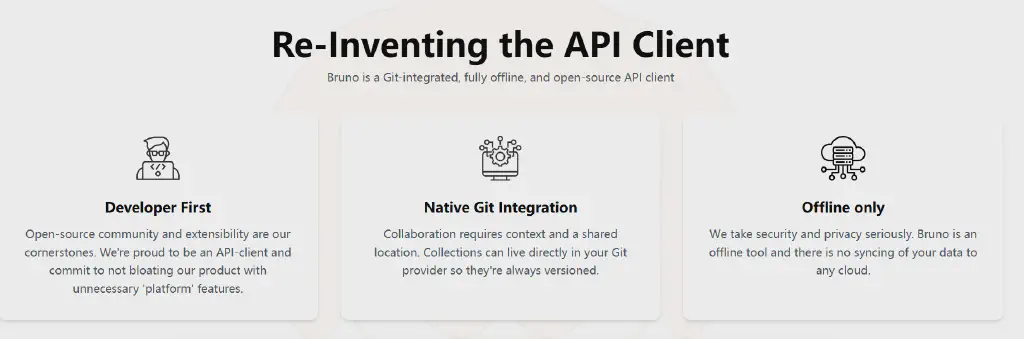
- Promises to be open source and extensible, focusing solely on being a client and never expanding the product into a “platform.”
- Implements collaboration and version control based on Git.
- Works offline and never syncs local data 😂😂😂
It is fair to say that Bruno’s emergence is an alternative solution aimed precisely at the current situation in which Postman, as a client tool, overemphasizes platformization and cloud features.
Bruno’s Advantages
On its official website, Bruno has also made a detailed comparison between Bruno and Postman specifically targeting Postman (of course, it is one party’s word, and some self-promotion is inevitable, so take it dialectically). The URL is as follows: https://www.usebruno.com/compare/bruno-vs-postman
I have organized it; it mainly includes the following dimensions:
Overall Positioning
| Bruno | Postman |
|---|---|
| Open source, local-first, privacy-focused | Originally an API client, now evolved into an API platform with cloud collaboration features |
Data Storage
| Bruno | Postman |
|---|---|
| Collections are stored directly in the local file system, using a plain-text markup language called Bru | Mainly stored in the Postman cloud, requiring account login (although export is possible, the core workflow depends on the cloud) |
Open Source
| Bruno | Postman |
|---|---|
| Fully open source (MIT license) | Partially open source; the core platform and cloud services are proprietary |
Offline Support
| Bruno | Postman |
|---|---|
| Fully supports offline work because all data is local | Core features (especially collaboration) rely heavily on an online connection and account login |
Collaboration
| Bruno | Postman |
|---|---|
| Collaborate via Git or any version control system, leveraging its file-storage nature | Through Postman’s built-in cloud sync and team collaboration features (usually requiring a paid plan) |
CLI Command Line
| Bruno | Postman |
|---|---|
Provides a CLI tool named bru for running collections and tests | Provides a CLI tool named Newman for running collections and integrating into CI/CD |
Scripting Support
| Bruno | Postman |
|---|---|
| Supports declarative scripting (Bru Lang) and JavaScript for automated testing and scripting | Supports JavaScript for pre-request scripts and test scripts |
User Interface
| Bruno | Postman |
|---|---|
| A relatively simpler interface and feature set, focused on the core tasks of API requests and testing | More comprehensive features, but also potentially more complex, covering more areas such as API design, documentation, and monitoring |
Version Control
| Bruno | Postman |
|---|---|
| Can use Git directly for fine-grained version control | Built-in version control features, but with different Git integration and flexibility |
Overall, Bruno has provided corresponding responses to the main pain points of Postman. If you are constrained by Postman or prefer to conduct API testing in an offline environment, Bruno can be said to be the best choice.
Bruno’s Limitations
Although Bruno has received a great deal of attention and its features are rich enough, compared with an established leading tool like Postman, it still has some functional limitations. Summarized here, they are roughly the following points:
Cloud Collaboration and Sync
Being fully local, simple, and lightweight is an advantage Bruno highlights, but from another angle it is also its main limitation.
Bruno’s team collaboration relies on Git. For development teams familiar with Git, this is certainly powerful enough, but when API collaboration involves a mixed team — such as one including clients, designers, and product managers — the barrier to using Git becomes relatively higher. Cloud-based team features like those of Postman are easier to accept, with shared team workspaces, comments, and sharing.
Shortcomings in Full API Lifecycle Management
Again because it is a purely local client, Bruno can hardly achieve the full API lifecycle management and support that Postman does, including API design (importing OpenAPI, Swagger, and other API designs), interactive documentation (API Documentation), API mocking (Mock Server), and health monitoring (monitor). Postman has corresponding features to cover all of these, while Bruno cannot cover such a rich range of scenarios.
Interface Type Support Is Not as Rich as Postman’s
Although Bruno currently supports RESTful and GraphQL interfaces, which already meet the vast majority of our API testing protocol requirements, compared with Postman, which also supports IoT protocols such as MQTT, there is still room for further additions in protocol extension.
The Ecosystem Is Not as Mature as Postman’s
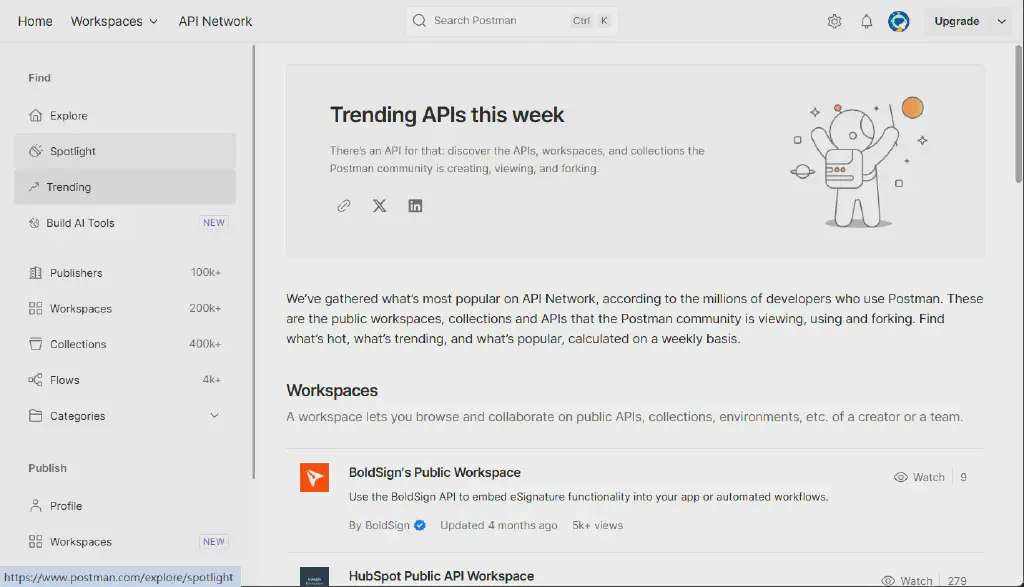
- After years of development, Postman has built a huge ecosystem around its platform, including extensive third-party tool integrations (many third-party APM tools, API gateways, CI/CD tools, and so on all support Postman well).
- With years of accumulation, the Postman community is thriving, with a massive user base and a wealth of resources and tutorials.
As a relatively new tool, Bruno has relatively fewer native integrations and community-supported plugins.
Support for AI Testing Capabilities
Through its built-in postbot assistant, Postman leverages AI capabilities to achieve typical AI enhancements such as the automatic generation of API test cases and optimization suggestions. As AI applications become increasingly widespread, support for AI is also an area Bruno still needs to focus on supplementing.
Bruno Installation and a Basic Usage Example
As a pure client, Bruno is extremely easy to install. Just visit the official website and download the corresponding installer (https://www.usebruno.com/downloads).
On Windows 11, you can also use the built-in winget command to download and install it directly.
| |
After installation, a little dog logo for Bruno appears on the desktop. Similar to Postman, you can double-click it to open the Bruno client, whose interface is actually quite similar to Postman’s. Below, let us take fetching the latest release of an open-source project on GitHub as an example to see how to operate Bruno.
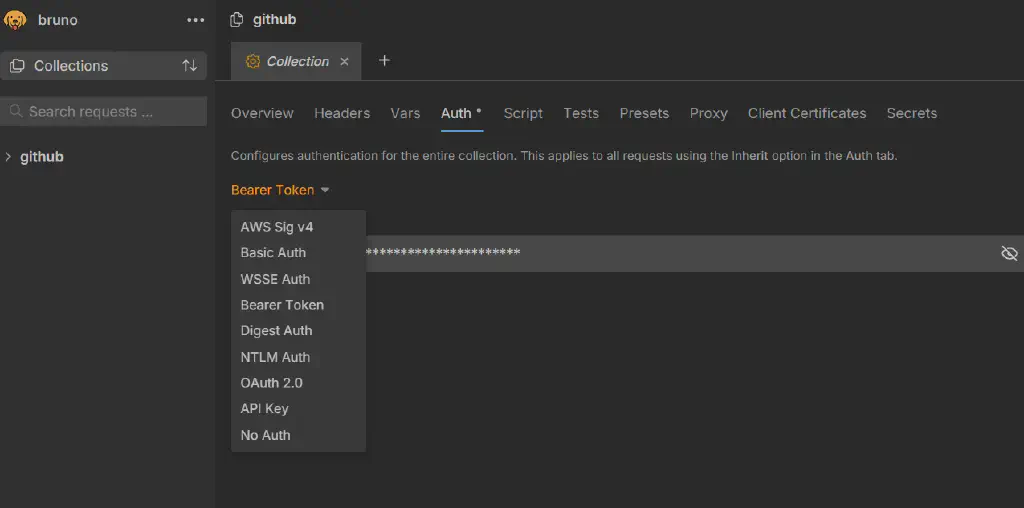
- First create a collection, name it “github”, and create a directory under it called “repos”. You can also add a GitHub access Token in the collection settings screen. As you can see here, the authentication methods Bruno supports are already very comprehensive.
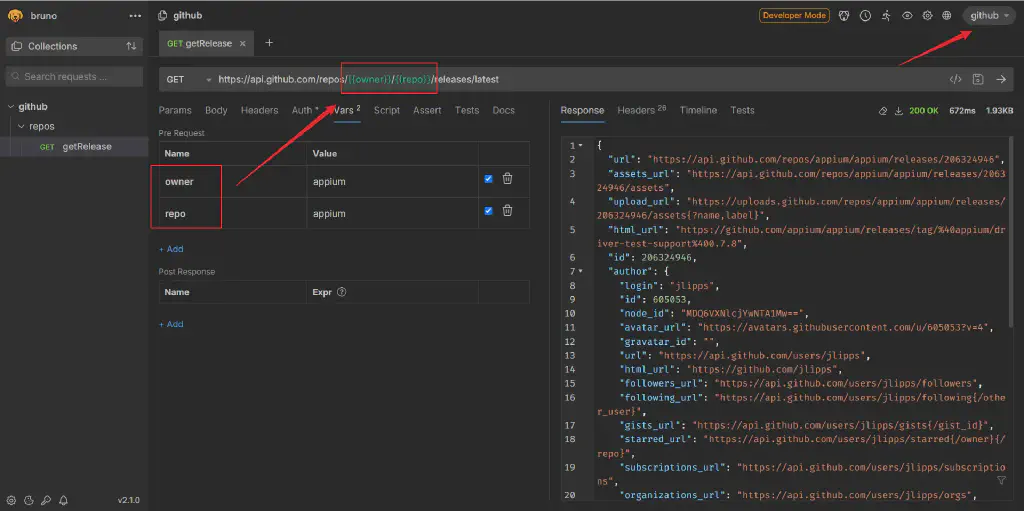
- Under the “repos” directory, create a new GET request named “getRelease”. According to GitHub’s definition, the corresponding request interface is “https://api.github.com/repos/{{owner}}/{{repo}}/releases/latest". Here we use two variables; similar to Postman, the variables set here can be referenced through
{{var}}. Give it a test and we successfully retrieved the latest release information for the appium project.
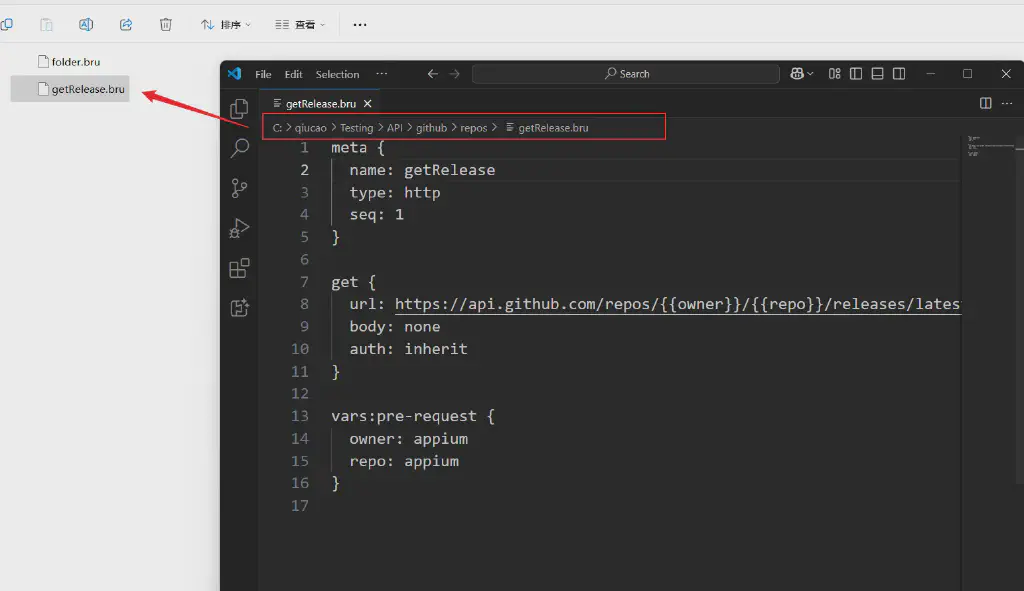
As a local client, all of Bruno’s requests and configuration information here are actually stored locally, kept in .bru files.
The above is a brief overview of Bruno. For those who do not want to be constrained by Postman’s online requirements, Bruno is the best alternative.
Feel free to keep following Qiucao’s upcoming blog posts, which will gradually bring more in-depth usage summaries and sharing about Bruno!