Preface
MCP protocol is an open protocol for AI capabilities launched in November 2024 by the AI company Anthropic (the parent company of Claude), aimed at standardizing the interaction interface between large language models (LLMs) and external data sources and tools. Its core design goals:
- Decoupling and standardization — shifting the integration of LLMs with external systems from custom development to universal connections based on a unified protocol, similar to the USB-C interface in hardware.
- Decentralization — by allowing developers to build their own MCP Servers, distributing AI capabilities and avoiding a single vendor’s monopoly on knowledge and services.
- Security and control — ensuring data privacy and operational safety through permission verification and localized deployment.
And MCP Server is the key component of MCP, providing the following three functions:
- Resources — file-like data that can be read by clients, such as API responses or file contents.
- Tools — functions that can be called by the LLM (requiring user approval).
- Prompts — pre-written templates that help users accomplish specific tasks.
Through these capabilities, MCP Server can provide AI applications with richer context and the ability to operate on private data or specific applications, thereby enhancing the usefulness of LLMs.
In the previous article 【】, we gained a basic understanding of MCP Server, provided a basic example of querying the local desktop, and used the AI editor Cursor to invoke this MCP server.
Microsoft Officially Releases Playwright-mcp
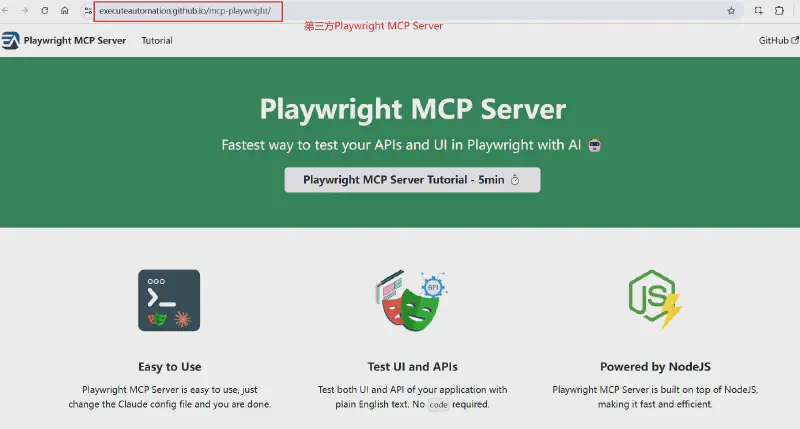
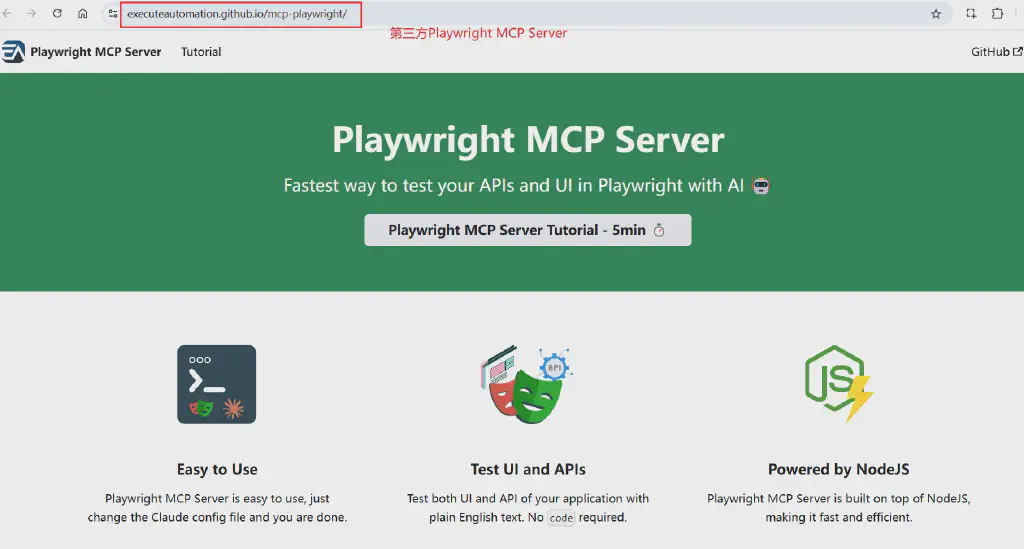
Among the many current applications of MCP Server, orchestrating browser operations is an extremely high-frequency scenario. Based on Playwright, this rising new browser tool, third parties have already taken the lead in releasing an MCP Server.
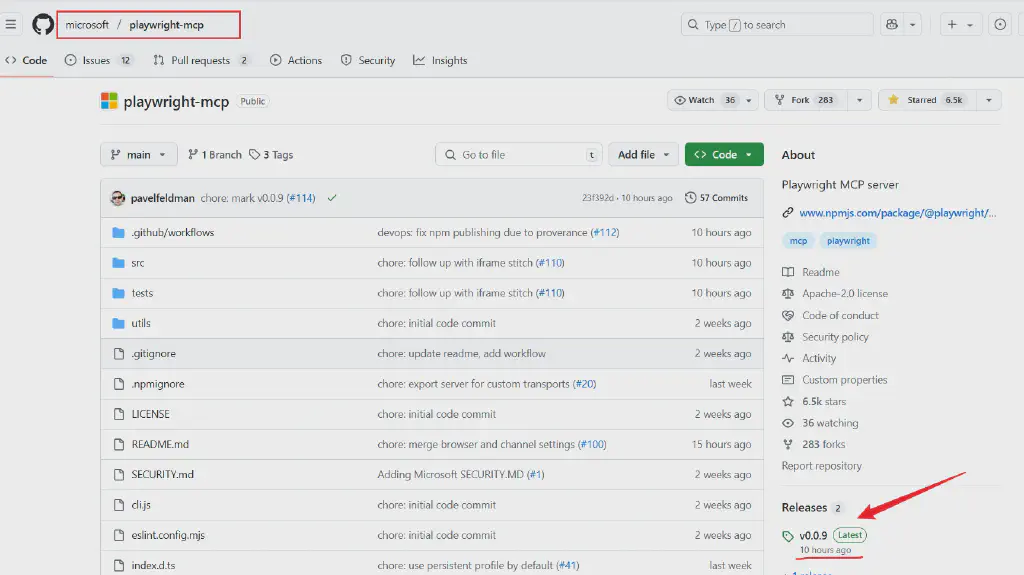
And now, Microsoft has finally officially released Playwright-mcp, which can be used seamlessly with VS Code Copilot.
Playwright-mcp Deployment
Because Playwright-mcp has just been released, its integration in VS Code is currently mainly in the preview edition, VS Code Insiders. So we can first download VS Code Insiders from the official VS Code website.
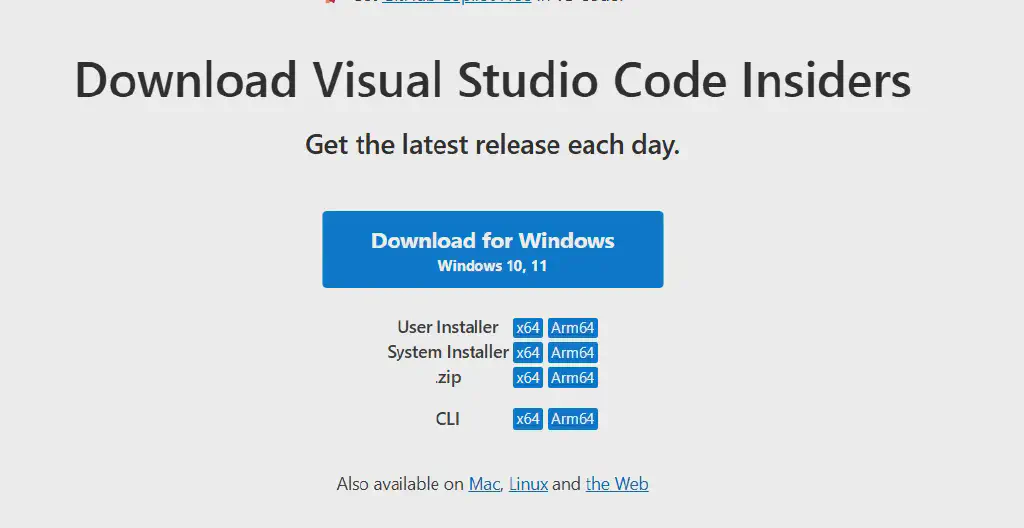
After installing VS Code Insiders, on the GitHub project homepage, simply click the corresponding button to install it.
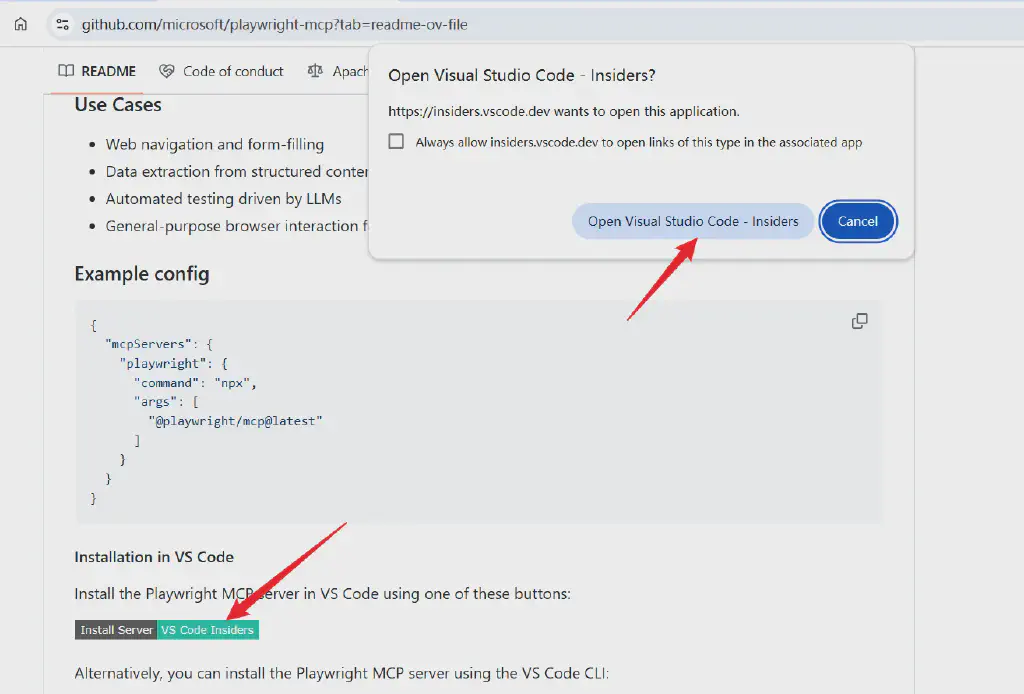
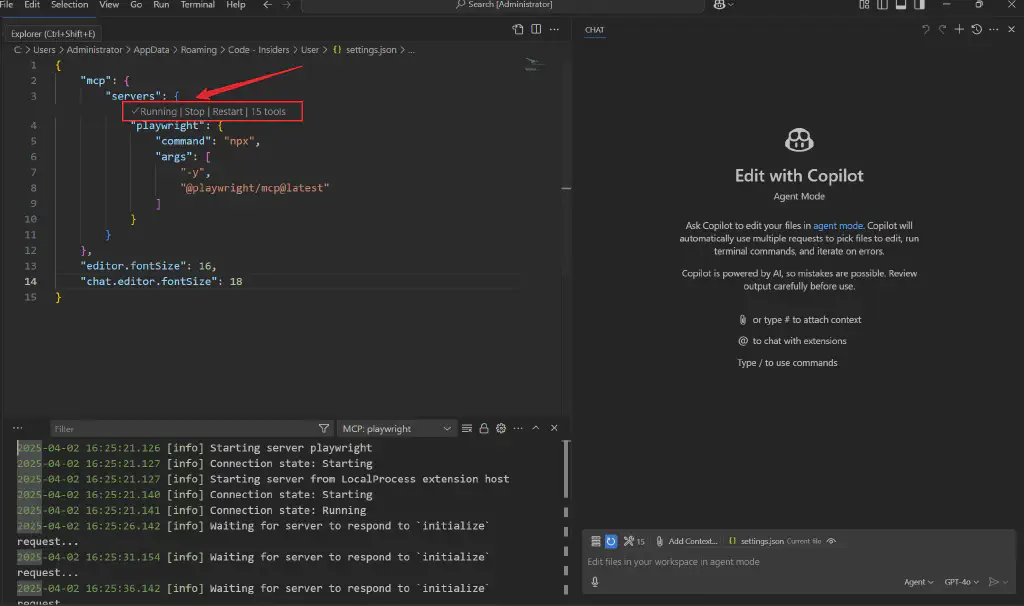
After opening VS Code, select install server; this will automatically configure the MCP server’s configuration file. Click start to run the MCP server, and with that the deployment is actually complete.
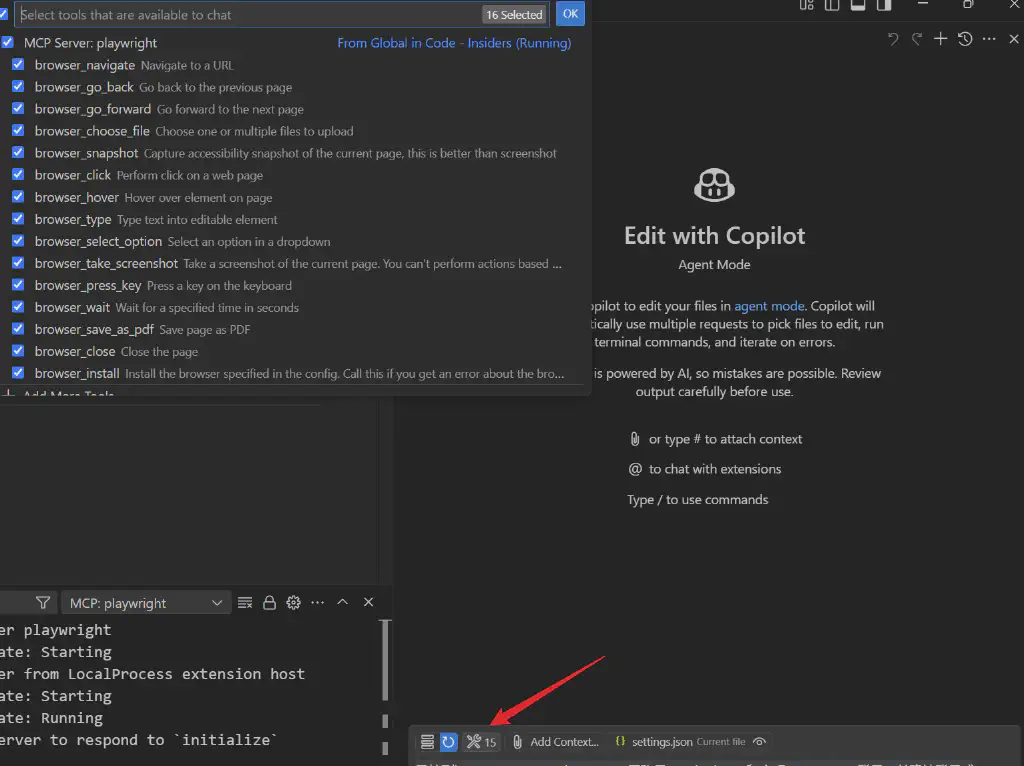
Click the tools button shown in the Copilot dialog box to see the currently integrated tools, which mainly correspond to Playwright’s 15 main operation behaviors.
Complete Browser Operations and Verification with Playwright-mcp Without Writing Code
Let’s take a look at the results below.
Open Copilot and enter the instruction:
Navigate to https://www.saucedemo.com, log in with the account standard_user and the password secret_sauce, confirm the login succeeds, and verify the product page displays correctly
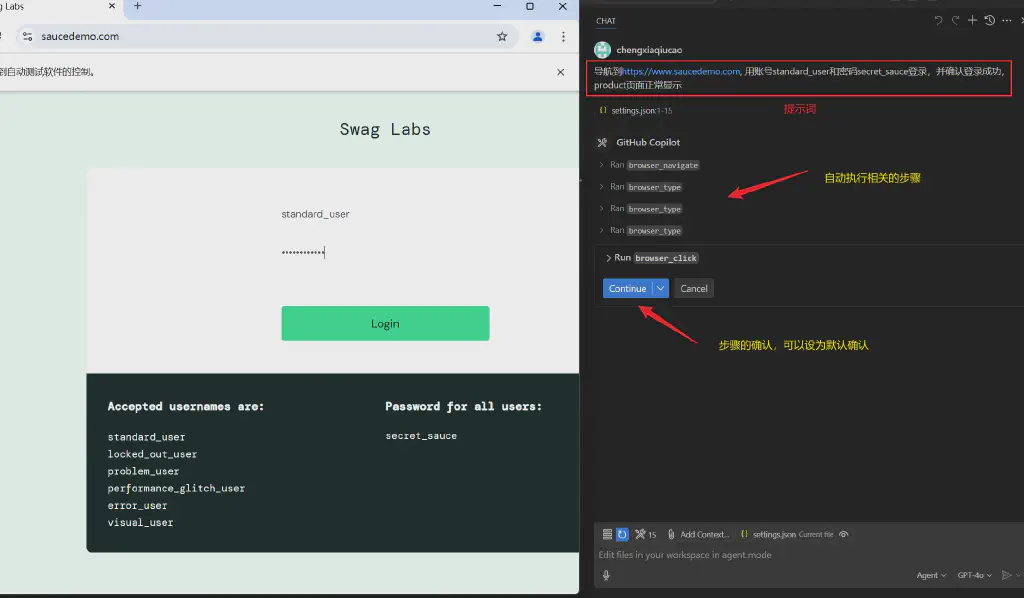
Continue the execution and obtain the result — the test case ran successfully.
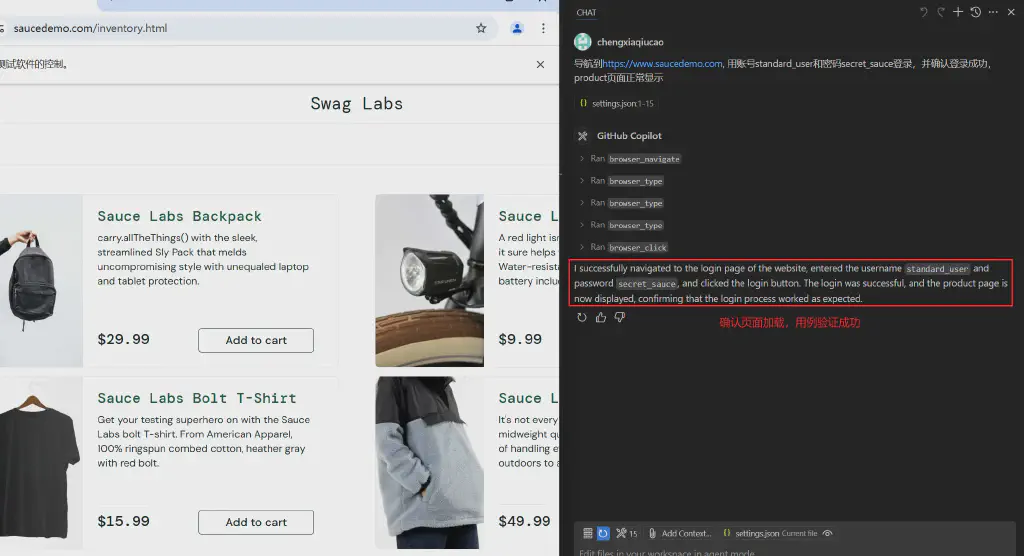
As you can see, here we did not write any code, yet used Playwright’s MCP to complete the execution of the login test case.
Of course, in real work, the integration of the MCP server is more about giving us greater convenience in calling the browser to carry out task execution!
Based on MCP Server, I believe there are still more and richer practices that can help us!
In the previous article, we introduced the basic effect of integrating Microsoft’s official Playwright MCP through VS Code Insiders and executing tests.
A reader asked whether it can be used in Cursor? I also tried it here, and the answer is that it can be integrated successfully, but there are a few small pitfalls. Here I will share the configuration process with everyone, as well as the powerful capabilities after integrating MCP in Cursor. Having AI help us complete most basic functional testing is no longer far off.
Enable Playwright-mcp in Cursor
Prerequisite Installation
First, of course, you need to install the MCP server and its corresponding dependencies; here both MCP and Playwright are based on Node.js. So install them first with the following commands.
1
2
3
| npm install -g @playwright/mcp@latest
npm install -g @playwright@latest
npx playwright install --with-deps
|
Cursor Configuration
After installation is complete, go to Cursor’s settings page, and in its MCP section, add the MCP server configuration. Referring to the introduction on the official Playwright website,
add the MCP server configuration:
 1
 2
 3
 4
 5
 6
 7
 8
 9
10
| {
"mcpServers": {
"playwright": {
"command": "npx",
"args": [
"@playwright/mcp@latest"
]
}
}
}
|
But at this point, the MCP server in Cursor actually cannot run normally and will display Clint closed.
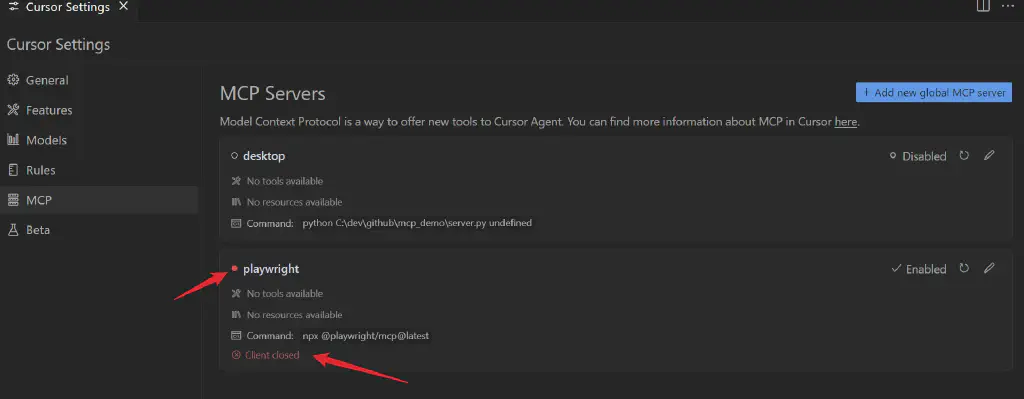
On Windows, Two Pitfalls to Avoid
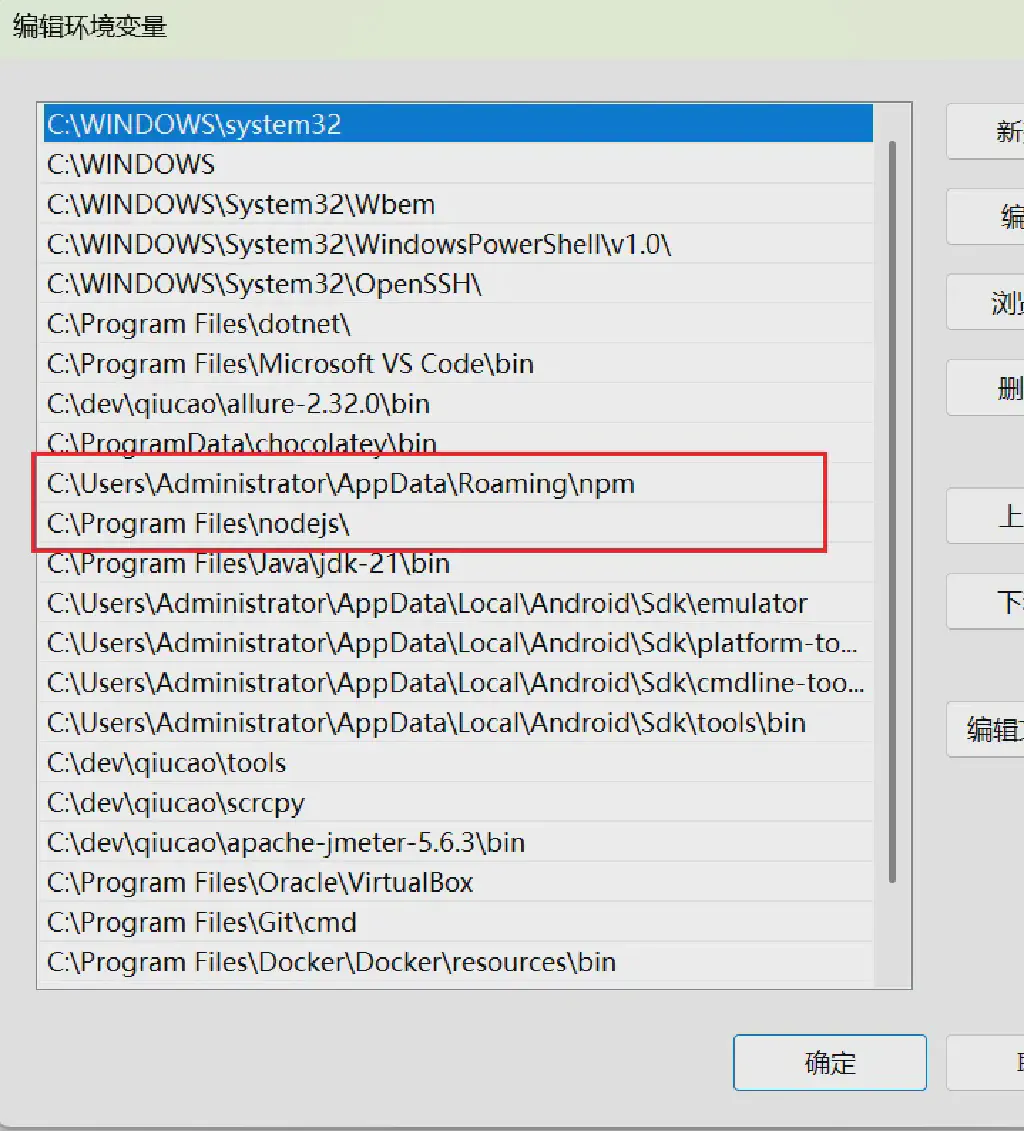
Pitfall 1 — the npx package loading path should be added to the search path
That is, put the globally installed related packages into Node.js’s search path. The way to do this is to add the npm package directory to the PATH in the Windows system environment variables, and place it before Node.js.
Pitfall 2 — modify the MCP command-line invocation command
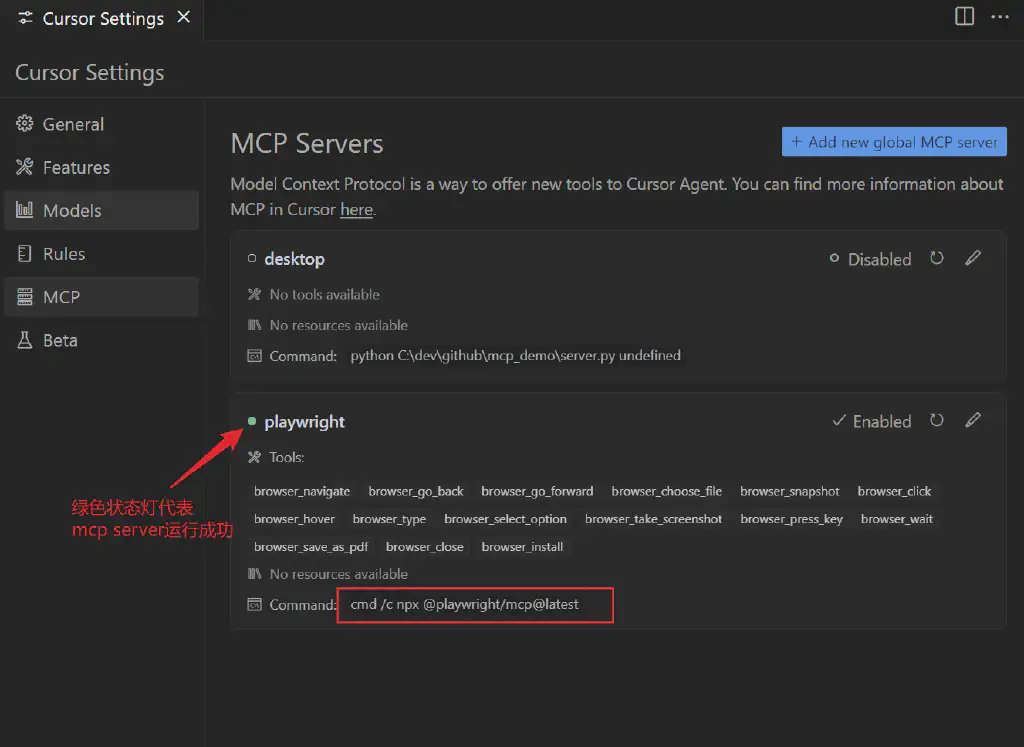
Calling npx in Cursor is actually done through the command line, but on Windows, when npx is called directly from the command line, Cursor itself cannot obtain the invocation status, so here we need to use the cmd /c command to invoke it and obtain the command handle.
That is, modify the above configuration file to:
 1
 2
 3
 4
 5
 6
 7
 8
 9
10
| {
"mcpServers": {
"playwright": {
"command": "cmd /c npx",
"args": [
"@playwright/mcp@latest"
]
}
}
}
|
After modifying the above configuration, reload Cursor. A command-line window will then start up — this is actually Playwright-mcp; do not close it — and then you can see that the MCP in Cursor has also started up normally.
Let Playwright-mcp Execute Tests on Our Behalf
We enter a basic task instruction in Cursor:
Visit the www.saucedemo.com website, log in using problem_user, verify the site’s complete workflow, and record the issues found
Below is the complete execution process.
  1
  2
  3
  4
  5
  6
  7
  8
  9
 10
 11
 12
 13
 14
 15
 16
 17
 18
 19
 20
 21
 22
 23
 24
 25
 26
 27
 28
 29
 30
 31
 32
 33
 34
 35
 36
 37
 38
 39
 40
 41
 42
 43
 44
 45
 46
 47
 48
 49
 50
 51
 52
 53
 54
 55
 56
 57
 58
 59
 60
 61
 62
 63
 64
 65
 66
 67
 68
 69
 70
 71
 72
 73
 74
 75
 76
 77
 78
 79
 80
 81
 82
 83
 84
 85
 86
 87
 88
 89
 90
 91
 92
 93
 94
 95
 96
 97
 98
 99
100
101
102
103
104
105
106
107
108
109
110
111
112
113
114
115
116
117
118
119
120
121
122
123
124
125
126
127
128
129
130
131
132
133
134
135
136
137
138
139
140
141
142
143
144
145
146
147
148
149
150
151
152
153
154
155
156
157
158
159
160
161
162
163
164
165
166
167
168
169
170
171
172
173
174
175
176
177
178
179
180
181
182
183
184
185
186
187
188
189
190
191
192
193
194
195
196
197
198
199
200
201
202
203
204
205
206
207
208
209
210
211
212
213
214
215
216
217
218
|
I will help you visit the Sauce Demo website and use the problem_user account to carry out a complete test-flow verification. Let's get started.

First, let me visit the website:

Called MCP toolbrowser_navigate

Let me log in with the problem_user account:

Called MCP toolbrowser_type

Now enter the password:

Called MCP toolbrowser_type

Click the login button:

Called MCP toolbrowser_click

Let's begin testing and recording issues. First I notice the following problem:

1. Product image issue:

All products display the same image (a picture of a dog), which is obviously a bug, because each product should display its own unique product image.

Let me try adding a product to the cart:

Called MCP toolbrowser_click

Let me click the cart icon to view the cart:

Called MCP toolbrowser_click

Let's return to the product list and try using the sorting function:

Called MCP toolbrowser_click

Let me try using the sorting function:

Called MCP toolbrowser_click

Called MCP toolbrowser_select_option

Based on the test process, I found the following problems:

1. Image display issue:

- All product images display as the same dog picture, rather than their respective product images

- This affects the user's visual recognition of products

1. Cart function issue:

- Clicking a product image or title does not correctly navigate to the product detail page, but instead jumps directly to a fixed product page

- This affects the user's experience of browsing and selecting products

1. Sorting function issue:

- After selecting different sorting options (such as price from low to high), the product list order does not change

- The sorting function is completely broken

1. Navigation issue:

- Clicking a product always jumps to the same product page, rather than the specific product clicked

- This seriously affects the user's shopping experience

1. Button state issue:

- The "Add to cart" and "Remove" button states for some products are displayed inconsistently

- This may cause users to be confused about the state of products in the cart

These problems seriously affect the website's basic functions and user experience. The problem_user account indeed demonstrates multiple issues that need fixing, covering aspects such as UI display, functional operations, and user experience.

Would you like me to continue testing other functions, such as the checkout flow?

Please continue testing

OK, I will continue testing the checkout flow. First let's add some products to the cart and then proceed to checkout:

Called MCP toolbrowser_click

Now let's click the cart icon to enter the cart page:

Called MCP toolbrowser_click

I found that clicking the cart icon revealed another problem - it took us to the product detail page instead of the cart page. Let's try clicking the cart icon in the upper right corner of the page:

Called MCP toolbrowser_navigate

Let's continue the checkout flow and click the Checkout button:

Called MCP toolbrowser_click

Let's fill in the personal information:

Called MCP toolbrowser_type

Called MCP toolbrowser_type

Called MCP toolbrowser_type

Click Continue to proceed:

Called MCP toolbrowser_click

I found a new problem: although we entered the last name, the system displays a "Last Name is required" error. This indicates there is a problem with the input field. Let's try entering the last name again:

Called MCP toolbrowser_type

Based on the test process, I found the following new problems:

1. Cart navigation issue:

- Clicking the cart icon on the product list page incorrectly navigates to the product detail page

- You must manually enter the cart URL to access the cart page

1. Checkout form issue:

- The last name (Last Name) input field has a serious problem

- Even after entering the last name, the system still shows a "Last Name is required" error

- This problem prevents the user from completing the checkout flow

1. Cart product display issue:

- The number of products shown in the cart does not match the number of products actually added

- Some products that were not added also appear in the cart

Together with the previously found problems, these seriously affect the entire shopping flow:

- Users cannot browse products normally (image problem)

- Cannot correctly add products to the cart (cart function problem)

- Cannot use the sorting function (sorting broken)

- Cannot access the cart normally (navigation problem)

- Cannot complete the checkout flow (form validation problem)

These problems make it almost impossible for the problem_user account to complete a normal shopping flow. Every major function has problems to varying degrees; this may have been deliberately set up for testing purposes.

Would you like me to continue testing other functions, such as the menu bar functions?

Test complete — please log out and summarize the issues found

OK, let's first click the menu button and then log out:

Called MCP toolbrowser_click

Called MCP toolbrowser_click

Now I will summarize all the issues found testing with the problem_user account:

### 1. Product display issues

- All product images display as the same dog picture, rather than their respective product images

- This seriously affects the user's visual recognition of products and the shopping experience

### 2. Navigation issues

- Clicking a product image or title always jumps to a fixed product page, rather than the specific product clicked

- Clicking the cart icon incorrectly navigates to the product detail page instead of the cart page

- You must manually enter the cart URL to correctly access the cart page

### 3. Product sorting function issues

- After selecting different sorting options (such as price from low to high), the product list order does not change at all

- The sorting function is completely broken and cannot help users browse products the way they want

### 4. Cart function issues

- The products shown in the cart do not match the products actually added

- Some products that were not added also appear in the cart

- The "Add to cart" and "Remove" button states are displayed inconsistently, causing user confusion

### 5. Checkout flow issues

- The last name (Last Name) input field has a serious problem

- Even after entering the last name, the system still shows a "Last Name is required" error

- This validation problem completely prevents the user from finishing the checkout flow

### 6. User experience impact

- The combined effect of the above problems leads to:

- Users cannot correctly browse and select products

- Cannot manage cart contents

- Cannot complete the shopping flow

- The overall shopping experience is seriously damaged

### 7. Functional usability assessment

- Almost all basic functions have problems

- Users cannot complete a normal shopping flow

- This account may be dedicated to testing purposes, demonstrating various possible problem scenarios

These problems cover the core functions of an e-commerce website, including product display, navigation, cart management, and the checkout flow. Every link has problems to varying degrees, making the entire shopping experience extremely difficult and frustrating. The existence of these problems may be for testing purposes, helping developers and testers understand various possible error scenarios.
|
As you can see, with Cursor + Playwright-mcp, AI can already, from the basic instructions we give it, proactively help us cover the main functional test scenarios and discover and record issues. Given time, it could largely replace fairly basic functional testing tasks, while testers can focus more on high-value, in-depth problem exploration. Of course, on the other hand, basic functional testers really do need a considerable sense of crisis — upgrading their skills and expanding their boundaries brooks no delay.

Welcome to follow Qiucao’s course on systematic, advanced improvement of testing skills; reply with Outline in the official account to see the detailed course catalog.