A question I came across on Zhihu:
Could all you professional IT and testing experts tell me how environment deployment is done? Every time I just say “install the corresponding software according to the test documentation, set the environment variables, prepare the relevant materials!” I always feel my answer isn’t good enough. What is the correct answer?
As a professional tester, this answer isn’t so much bad as it is essentially equivalent to not knowing how to test.
Although this question directly asks how to do installation and deployment, it is really asking how installation and deployment should be tested. The reason it isn’t asked directly is that many beginners don’t realize that installation and deployment is actually an extremely important part of the scope of software functional testing—the person asking the question being a case in point.
The installation of a software system—especially a system delivered directly to users—can be said to be the storefront of the entire system. It is the first step in using the software, and how well it performs directly affects the user’s evaluation of the software.

So what testing considerations should be covered for software installation and deployment testing? We can look at it from the following aspects:
Fresh Installation / Full Installation
Fresh installation refers to deploying a piece of software for the first time, or redeploying it without retaining any previously installed information.
This is actually the main part of the testing, and the installation documentation mentioned by the asker also mainly addresses this part.
But there are still many test points to pay attention to when testing.
1. Installation Dependencies
Most installation programs or scripts actually have certain prerequisite dependencies:
- Required disk space?
- Network connectivity status?
- Any CPU / memory requirements?
- The version of the operating system?
- System user permissions (does installation require OS administrator privileges?)
- ….
Moreover, these dependencies are not only those of the installation program itself; they also include the conditions required for the software system to run properly after installation. All of these should be validated in advance by the installer at the time our program is installed. All of these are things that need to be considered and designed for during testing.
2. Functional Verification of the Installer / Script
Whether there is an installer or the setup is done by executing a script, this part is the main body of installation and deployment, and also the part emphasized in the installation and deployment documentation. Most user-facing installers actually have a graphical interface.
The verification here is actually not very different from the functional testing of ordinary software.
- Is the descriptive information and text in the interface clear?
- Are the prompts for various operations explicit?
- For parts involving user interaction, verify the branches of different user choices
- Compatibility under different screen resolutions
- Is step backtracking provided? Can you return to the previous step after a misoperation? ….
When designing this part of the verification, it is best to work with a flowchart and map out the various different paths to confirm them one by one.
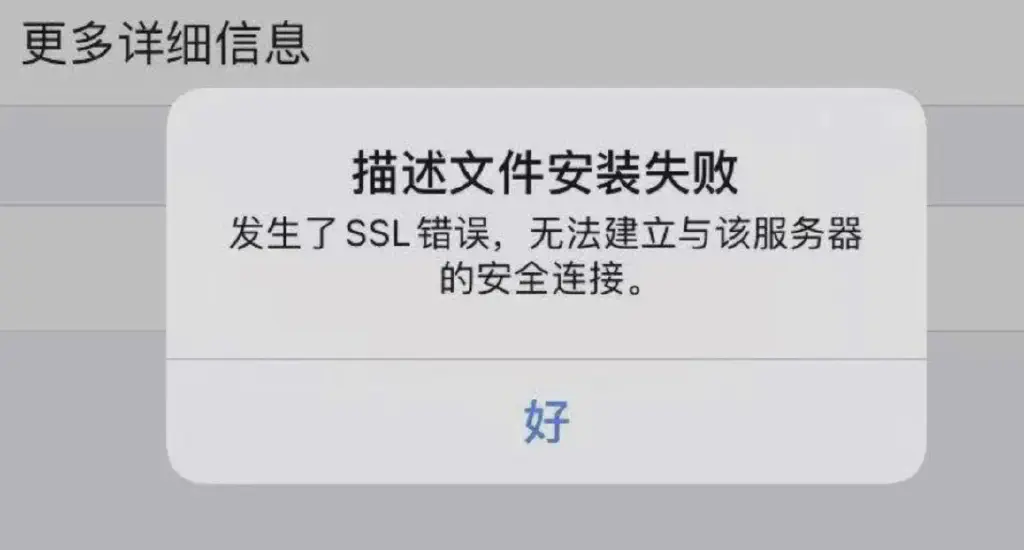
3. Installation Exception Handling
This is an important part that tests a tester’s experience.
- Insufficient disk space?
- Network interruption midway?
- Local service port conflict?
- Power loss midway? ….
4. Usability
Regarding the usability of the installer, the main consideration is whether any thought has been given to optimizing the user experience during installation.
- For example, if you select a directory that already exists for installation, is there a prompt?
- Is there a secondary confirmation for file overwriting?
- During installation, is there a progress bar showing the installation progress?
- When copying large files, does the interface show changing information so users don’t suspect the program has frozen?
- When a conflict is detected, is the user offered suggested solutions? …..
These all actually fall into the category of usability.
5. Installation Verification
When performing installation testing, we should also understand and confirm what changes occur in the system before and after installation, and whether these changes conform to the design requirements.
- Which program files will the installation directory contain after installation?
- Are any files generated in the operating system’s system folders or outside the installation directory?
- Are there any additions or modifications to the registry?
- Are there any additions or modifications to system services?
- Is a program group added to the Start menu?
- Is a shortcut created on the desktop? …..
Understanding these is not only a functional check; it also helps us understand what the installer itself actually does and whether any test scenarios have been missed.
Upgrade Installation / Update
Besides fresh installation, another important scenario is system upgrade and update—that is, a version of the system already exists and needs to be upgraded on top of the existing base to the version of the current installation package.
Upgrades in turn can be divided into full upgrades and incremental upgrades.
Full Upgrade
A full upgrade completely replaces the original program files, but generally retains the existing configuration and data. The installation package usually contains all the files of the current version, so it tends to be fairly large.
Incremental Upgrade
An incremental upgrade, based on the user’s current version, has an installation package containing only some incremental program files, including script files for upgrade operations. This kind of package is generally small and the installation process is usually faster. However, the package must strictly match the user’s current version. It is typically adopted when the full installation package is very large and distributing it to users is inefficient.
Version Span
Whether full or incremental, the verification points are basically similar to those of a fresh installation. But there is one scenario specific to upgrade verification that needs special consideration: the issue of version span.
If the software has gone through many iterations and version changes, upgrading from a very old historical version to the new version often brings many problems, including the impact of changes to configuration and data structures, as well as the choice of upgrade strategy—whether to go all the way in one step or upgrade through each intermediate version. All of these can affect the testing strategy.
Data Migration
For version upgrades involving databases and changes to data structures, business data may require many data conversion operations. This is also a high-incidence area for bugs and needs to be a key focus in combination with post-upgrade business testing.
Rollback
Rollback generally refers to whether, when a problem occurs during installation, the original state can be restored so as not to affect the existing business.
This is mainly considered from several aspects:
Normal Cancellation of Installation / Deployment
Initiated voluntarily by the user, this counts as a normal rollback. In this case the installer should be able to clean up the installation files already completed, restore the original system configuration, and reset the state back to what it was before installation.
Rollback on Exceptions
Besides normal rollback initiated by the user, if some unknown exception occurs during installation that prevents it from continuing, the user needs to be notified that installation failed, and a rollback process should also be triggered to restore the system to its pre-installation state.
This is part of the exception capture and handling of our installer itself.
And even for exceptions not captured by the installer itself—such as a forced interruption by pulling the power during installation—our software should still provide some cleanup scripts to restore the deployment state to its pre-installation state. This is also one of the important scenarios of installation testing.
Rollback Effectiveness
Beyond triggering the rollback, we also need to confirm the effect of the rollback—whether the cleanup and state restoration were indeed completed correctly.
In addition, if an exception occurs during the execution of the rollback itself (as opposed to a rollback triggered by an exception), is there a corresponding solution? For example, providing a cleanup tool.
Uninstallation
Of course, where there is installation there is uninstallation. Besides verifying the installer, we also need to verify the uninstaller or uninstall script, similar to the functional verification of the installer.
Uninstallation Entry Points
Besides running the uninstaller directly, uninstalling through the operating system’s uninstall entry point is also a scenario that should be considered.
Uninstallation Leftovers
After the software is uninstalled, which files and configurations are left behind in the operating system, and do they conform to the design requirements?
Destructive Uninstallation
Create some special scenarios—for example, physically deleting certain critical files or altering critical configurations—and confirm whether uninstallation can still proceed normally.
Exceptions During Uninstallation
Various exceptional scenarios during uninstallation should likewise be considered.
- A file is in use?
- Network interruption?
- Power loss? …
When an exception occurs, is there a corresponding means to handle the aftermath?
Very often, questions that look simple turn out to be far from trivial when you dig into them. Testing is an art of exploring and discovering the unknown, with subtleties of its own.