Preface
PyTest is a testing framework that is very widely used in the field of test automation today. Automation based on Python scripts usually relies on this framework to manage test scripts and schedule their execution.
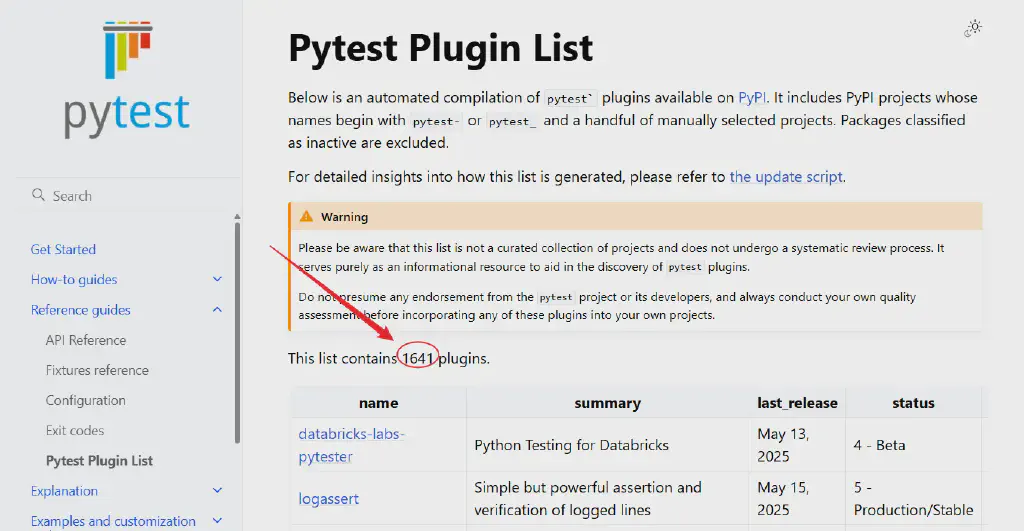
What makes Pytest powerful, besides the Fixture feature we introduced earlier, is another very important aspect: its strong ecosystem, namely its very powerful plugin support. The official plugin list alone already contains more than 1,600 plugins
In real-world work, besides enhancing capabilities through Pytest’s rich plugin ecosystem, it is actually very convenient for us to develop our own plugins to meet some of our individualized requirements; this, of course, is also the foundation of why Pytest’s plugin ecosystem can be so flourishing.
In this article, we will use a basic example to introduce how to develop a local Pytest plugin.
How Pytest Plugins Work
Pytest’s plugin mechanism is actually implemented mainly through the hook functions it provides and through command-line extensions.
Hook Functions
Hook functions are a class of special functions provided by Pytest that allow plugins to execute custom code when specific test events occur. Commonly used hook functions include:
pytest_addoption: Used to add command-line options.pytest_configure: Performs configuration before the test run.pytest_runtest_setup: Called before each test case is executed.pytest_runtest_teardown: Called after each test case is executed.pytest_sessionfinish: Called when the test session ends.
Command-Line Options
Through the pytest_addoption hook, a plugin can define custom command-line options. This allows users to control the plugin’s behavior when running tests. For example, an option can be added to enable or disable certain features.
The Configuration Object
Within hook functions, a plugin can access Pytest’s configuration object (config), which contains command-line options, the test context, and other configuration information. Through the configuration object, a plugin can obtain the options entered by the user and adjust its behavior accordingly.
Data Storage
A plugin can use the configuration object within hook functions to store and manage data. For example, it can initialize a list in pytest_configure, store data into this list after each test case is executed, and finally output the results in pytest_sessionfinish.
The hookimpl Decorator
In Pytest, hook functions can use the @pytest.hookimpl decorator to control the execution order and behavior of hooks. The main parameters include:
tryfirst: If set toTrue, this hook will run before other hooks of the same kind. It is usually used when specific logic needs to be handled with priority.trylast: The opposite oftryfirst; if set toTrue, this hook will run after other hooks of the same kind.
In this way, a plugin can precisely control the insertion of custom logic at various stages of the test execution process.
A Hands-On Example
In this article, we will develop a local Pytest plugin that records the execution time of each test case and provides summary statistics after the test run ends.
Environment Setup
Create a new directory for your plugin:
| |
Plugin Implementation Code
In the plugin directory, create a file named pytest_timing_plugin.py:
| |
pytest_addoption: Adds the--timingoption to enable timing.pytest_runtest_setup: Records the start time when each test begins.pytest_runtest_teardown: Calculates and records the duration when each test ends, and accumulates it into the total duration.pytest_sessionfinish: Prints the execution time report for each test and the total execution time when the test session ends.
Preparing the Test File
In the same directory, create a test file test_sample.py:
| |
Packaging the Plugin
If we want to share the plugin with others, we can package it. Create a setup.py file:
| |
In the plugin directory, run:
| |
This includes the plugin we just developed in the local Pytest environment.
Running the Tests
Run the tests with the pytest command, passing the custom option at the same time:
| |
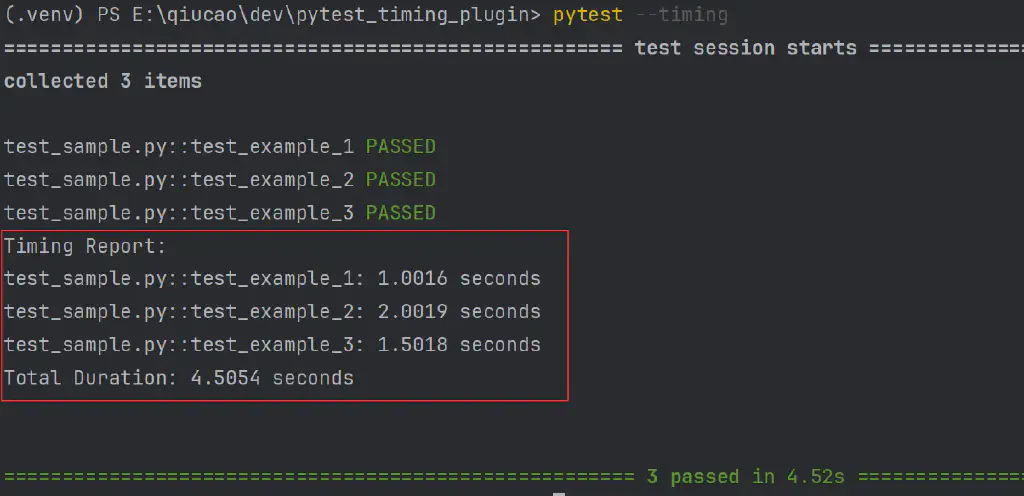
The run result:
Publishing the Plugin
And if we want to publicly release the plugin we developed on a wider scale, we can publish it to PyPI for broader dissemination and adoption.
Preparing for Release
Install the relevant publishing tools:
| |
setuptools: Used to package Python projectstwine: Used to upload packages to PyPI
And upload the code to an open source platform such as Github
Preparing setup.py
Add the following content, including the source code project:
| |
Creating README
Create a README.md file describing the plugin’s features and usage.
Building the Distribution Package
In the plugin directory, run the following command to generate the distribution package:
| |
This generates .tar.gz and .whl files in the dist directory.
Publishing to PyPI
Use twine to upload the package to PyPI. First of all, of course, we need to have an account on PyPI.
Then, run the following command:
| |
Enter the PyPI API Token as prompted to complete the upload
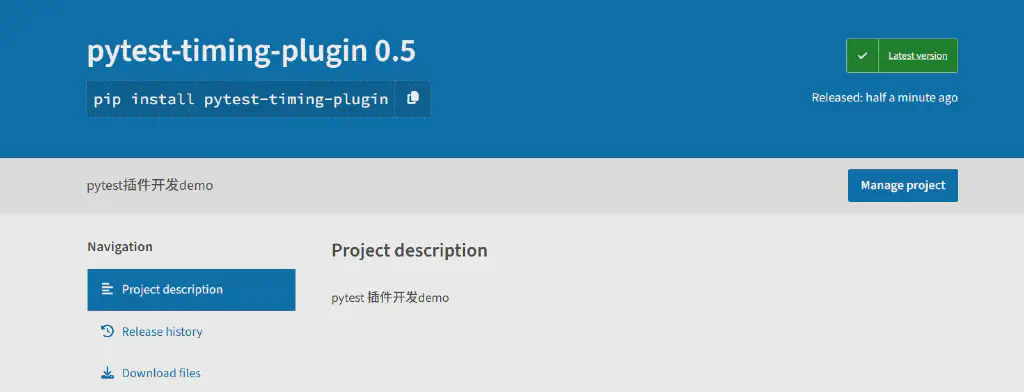
Once complete, the plugin can be found on the PyPI official site
Verifying the Installation
After a successful upload, you can install the plugin in other environments with the following command:
| |
Updating the Plugin
If you need to update the plugin, simply update the version number in setup.py, regenerate the distribution package, and then upload it again with twine.
The above is a practical example of Pytest plugin development