Selenium, as the most popular open-source web Test Automation framework today, has been developed for 20 years. It is powerful, and its webdriver protocol has also become a de facto standard in the field of Test Automation. Based on the Selenium framework, many extension frameworks built on top of it have emerged. One example is SeleniumBase, which we introduce in this article.
What Is SeleniumBase?
SeleniumBase is a Python library built on top of the Selenium framework that further enhances scripting.
On top of Selenium’s original functionality, it simplifies the way automation scripts are written and invoked, and it is deeply integrated with the pytest framework. Most importantly, it provides a variety of different script modes, including script recording, slowed-down execution, in-run debugging, and the demo feature we are going to introduce in this article.
Although SeleniumBase is very powerful, the underlying implementation logic of the automation still follows the main characteristics of Selenium. So here we will not specifically introduce SeleniumBase’s wrappers for writing automation scripts. But one excellent thing about this library is that, through JS injection, it makes the automation running process more intuitive and easier to demonstrate.
For example, the demo creation we will see below.
Advantages of Completing a Demo Through Automation Scripts
As test engineers, especially with the popularity of agile development nowadays, the end of an iteration usually includes an iteration review and demo session. And as test engineers, a lot of the feature demos within iterations are done by us.
This also includes the fact that, when introducing product features to customers or leaders, explaining the features through actual product operations is essential as well.
But in practice, if we can display in advance the key points that need to be explained while the automated test is executing, the effect is very good, and it can also avoid some accidental misoperations on the spot.
So this feature of SeleniumBase can really play to its strengths here.
The Process of Creating a Product Demo with SeleniumBase
First, take a look at a demo of the open-source update information on my blog site, completed with SeleniumBase
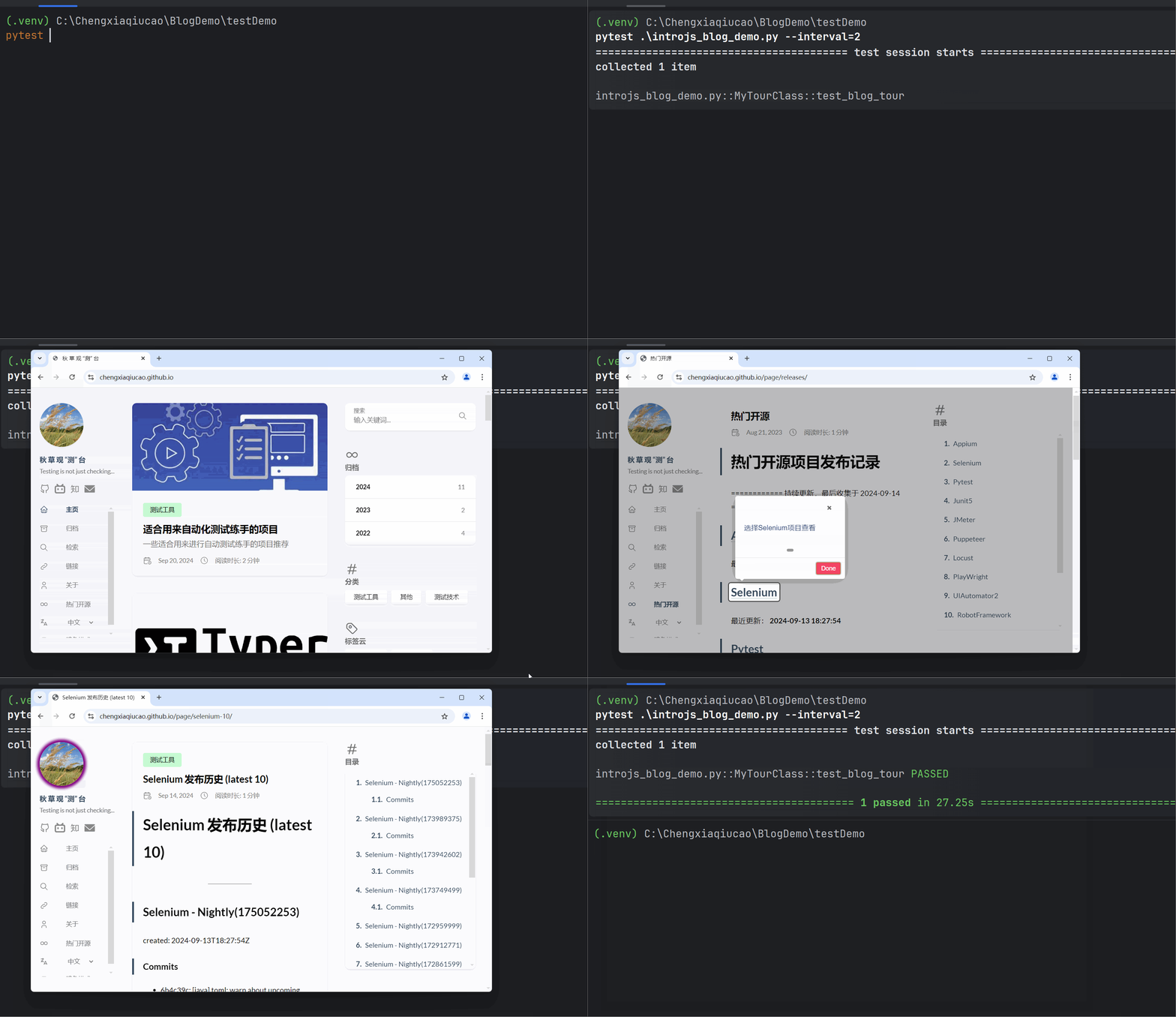
In fact, its principle is fairly simple: through its wrapped BaseCase class, while the corresponding operation steps are being executed, it injects pre-packaged JS to highlight the elements being operated on and give some guidance hints.
The corresponding create_introjs_tour() method in the base class creates the demo tour. It also offers different JS theme choices here, which is very powerful.
Then add_tour_step() adds the steps, and play_tour() executes the steps.
The corresponding demo generation code:
| |
As for the JS injected in the actual demo, we can also export the corresponding JS script through the self.export_tour statement, so that it can be used directly later.
Similarly, there is also its Demo mode, which is actually quite similar to the guided tour mode, except that it more often automatically slows down and highlights the automation execution steps to emphasize the verification points.
The above is my sharing on this cool feature of the SeleniumBase library~