
When we use the Pytest framework for Test Automation, its powerful fixtures bring great convenience to the flexible application of the framework. For example, we can use the autouse attribute of a fixture to make it take effect automatically at different scope levels of test methods. But if we want to reference the return value of a fixture, we usually still have to specify it explicitly, which is a bit inconvenient
Specifying a Fixture with autouse, but It Still Needs to Be Explicitly Carried as a Parameter to Be Called
Take webdriver, the most commonly used object in Selenium automation, as an example. When implementing automation, the webdriver object usually stays in effect throughout the entire execution and is frequently called.
The usual practice is to write a session-level generic driver fixture in the conftest.py file and set autouse to enabled:
conftest.py
| |
Then in another test file, when writing the test class and test methods, we can directly reference this driver fixture
test_auto_driver.py
| |
But if the whole test project is fairly large and there are many similar test classes and test methods, every time we define a test method we have to specify this generic fixture in order to reference the driver object. Doesn’t that always feel a little inelegant?
Pytest Built-in Fixture: Request
Actually, if you have studied how to do parameterization through fixtures, you should know that parameterization via fixtures is accomplished through an internal fixture of pytest called request. request should be the most important built-in fixture in pytest. And by using this fixture, we can in fact implicitly pass some generic fixtures to each test class by default
A Brief Introduction to request
According to the official documentation:
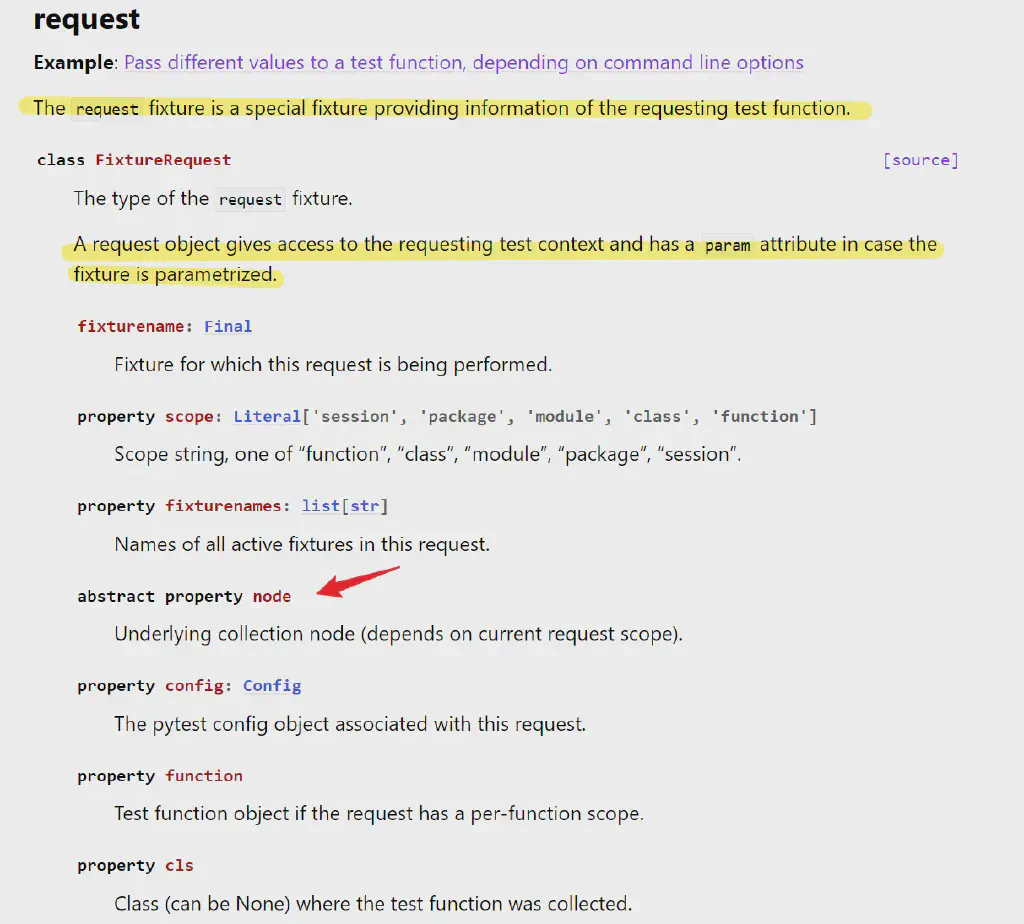
requestis a built-in fixture used to provide contextual information about the current test method and to implement parameterization through theparamparameter.
With request, we can obtain a great deal of contextual information about the current fixture during runtime, such as the fixture name, path, the current session, module, class information, and so on.
The figure below shows the attributes of the request object obtained at a breakpoint when referencing a fixture
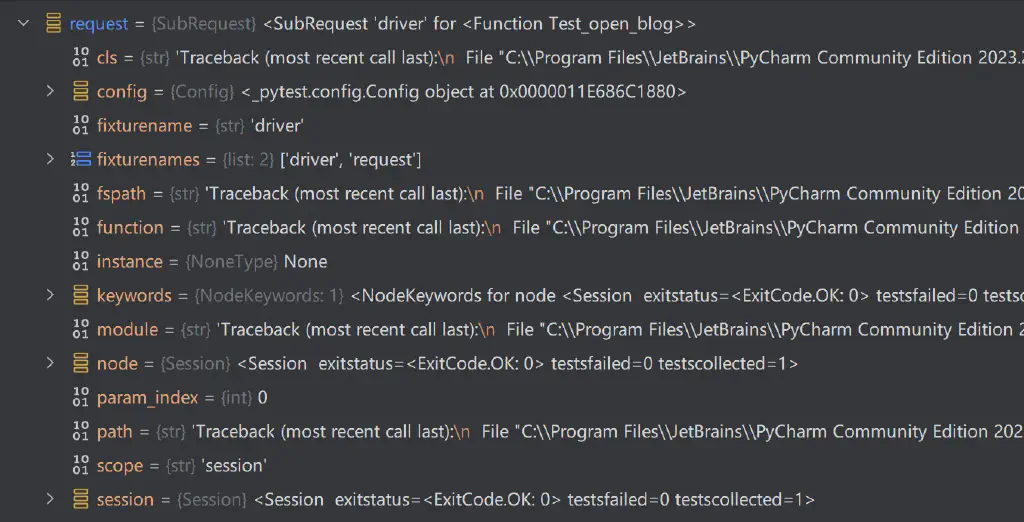
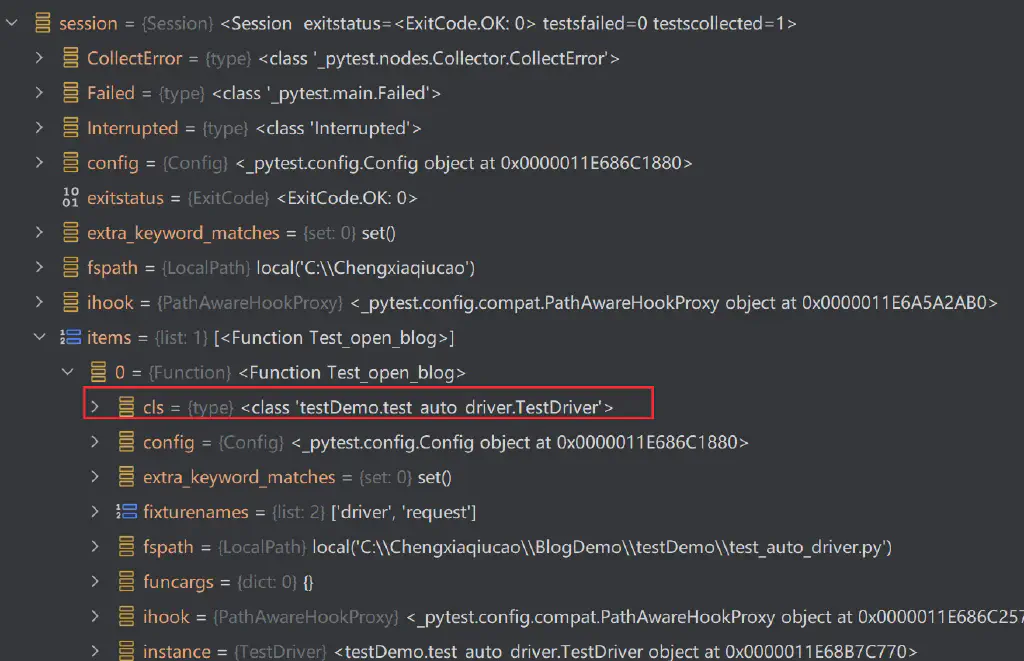
So in the example above, as a generic fixture that takes effect at the session level, we can use its session attribute to obtain all the classes in the current session, and then assign the driver object to the relevant class attributes. In this way, when defining a test class, we no longer need to specify the fixture separately and can reference it directly through the class attribute as needed.
Implementing Automatic Assignment of a Fixture to Class Attributes
So the code of the above example is modified as follows:
conftest.py
| |
Here we add the driver object as a class attribute, and the fixture itself no longer yields any object as a return value
Correspondingly, in the test script we can simply use the class attribute directly via self.driver
test_auto_driver.py
| |
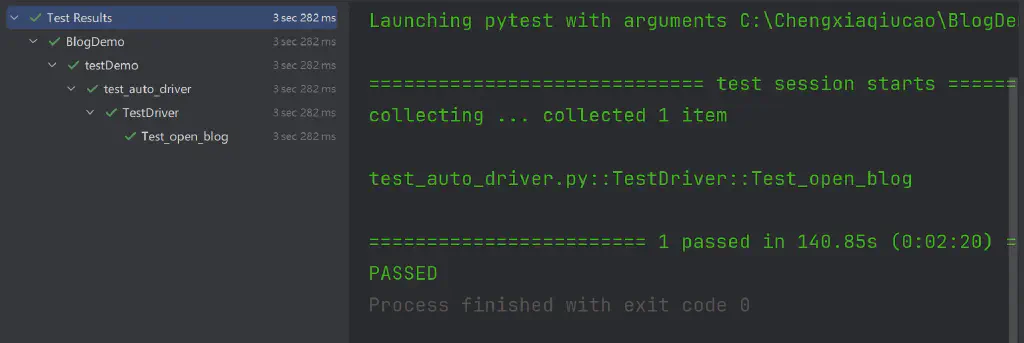
The execution result: the test case is likewise completed correctly.
The above~~