As we know, Pytest is the mainstream testing framework for Test Automation in the Python technology stack. It supports flexible test discovery and execution strategies, powerful fixtures, and a rich ecosystem of plugins.
Besides parameterization via pytest’s parametrize marker, we can also conveniently implement parameterized testing through the param parameter of a fixture
Implementing Parameterization with Fixtures
Suppose we have the following code under test, which produces different output depending on the type of the parameter passed in
| |
Then we write the corresponding test code: first we define a fixture and set the params list, then obtain each param through the fixture’s own request. For example, here we define several parameters. The Chinese strings in the example below are example parameter values. In addition, we also define the fixture’s setup and teardown actions. The test method simply calls the function under test.
| |
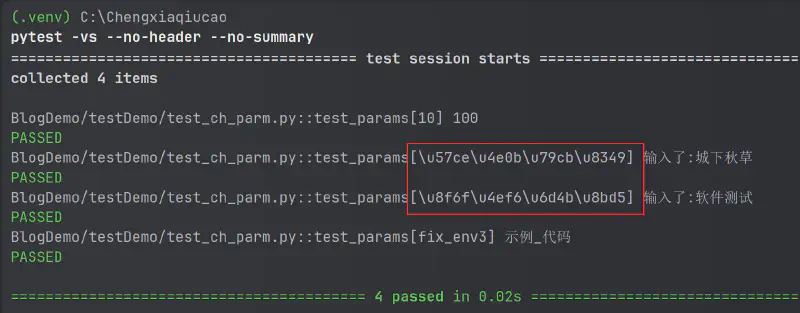
Running it produces the following output:
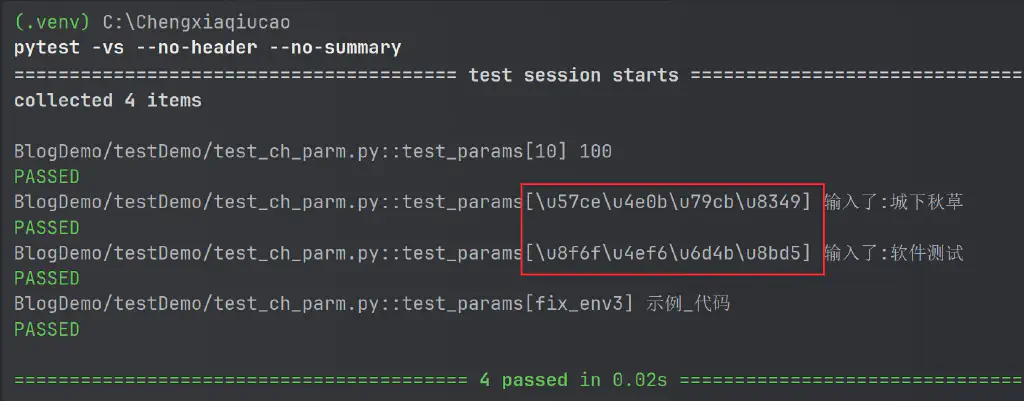 As you can see, although parameterization ran successfully, there is a problem here: in the output, the test case ID is displayed as garbled text.
According to pytest’s ID generation rules, if it is a string or a number, the parameter itself that was passed in is displayed (of course you can also use the ids parameter to reassign the corresponding ID of a parameter); if it is a tuple, list, or dict, it displays the fixture’s name plus the parameter index, such as
fix_env3 here
Here the characters are Chinese, shown as the encoding before unicode escaping, so there is still a problem with the Chinese conversion. That is to say, Pytest’s handling of fixture parameters uses ASCII encoding for display by default, whereas for Chinese we want it displayed with unicode encoding.
Solution One for Garbled Chinese Text
Therefore, the first way to solve this problem here is to use Pytest’s centralized fixture configuration file conftest.py, and within it use Pytest’s hook mechanism to modify the part of the test case collection method that generates the test case IDs. The corresponding code:
Defined in conftest.py at the same level as the test case file:
| |
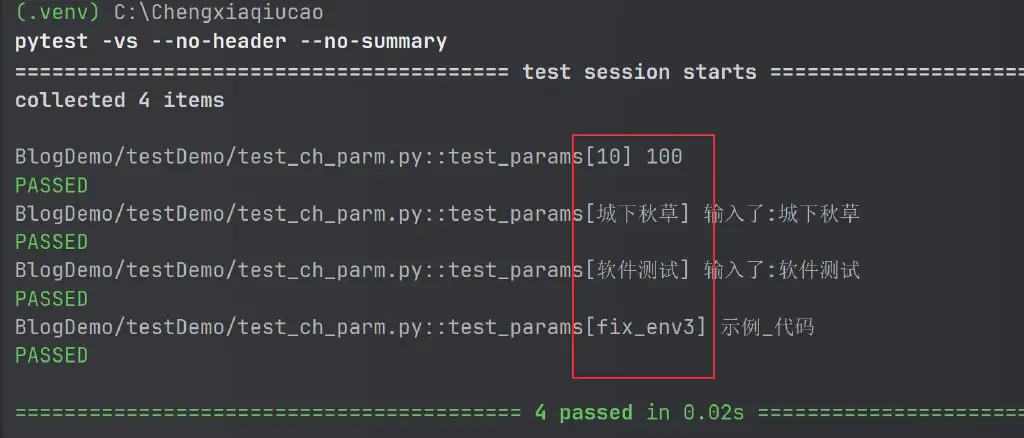
Run it again and you can see that Chinese is now displayed correctly
Solution Two for Garbled Chinese Text
Besides modifying the hook to re-encode the test case IDs, Pytest itself actually also provides a configuration parameter. It is just that this configuration is not the officially recommended solution. Under certain circumstances on some operating systems, using this configuration may cause some unusual bugs. But the author has tested it on Windows and Ubuntu without any problems.
The corresponding configuration is:
| |
As you can tell from this extremely long configuration name, it disables test ID escaping while forfeiting community support 😂😂
Adding this configuration in pytest.ini, without using the hook above, also gives the effect of Chinese displaying correctly.
The above are the solutions to the garbled text problem you may encounter when Chinese is displayed during parameterization in Pytest.
My Test Career Advancement Course is currently being actively promoted on IMOOC; if you’re interested, you can learn more through the link below
❤️❤️❤️❤️ Chengxia Qiucao’s Test Career Advancement Course ❤️❤️❤️❤️