
Postman Gets a Major V11 Update
Postman, a mainstream tool widely used in API Testing, is popular for its rich features and its flexible, convenient way of working. The newly released V11 version is racing ahead in its transformation into a collaboration platform, adding a large number of brand-new collaboration capabilities. Let’s take a look below at what has changed.
Collaboration Enhancements - More Convenient Comment Entry Points
As a collaboration platform, Postman already provided a comment feature in previous versions. You could open the comment window from the right sidebar and add comments to different APIs, so that when a team collaborates on developing and debugging the same API, team interaction can be achieved
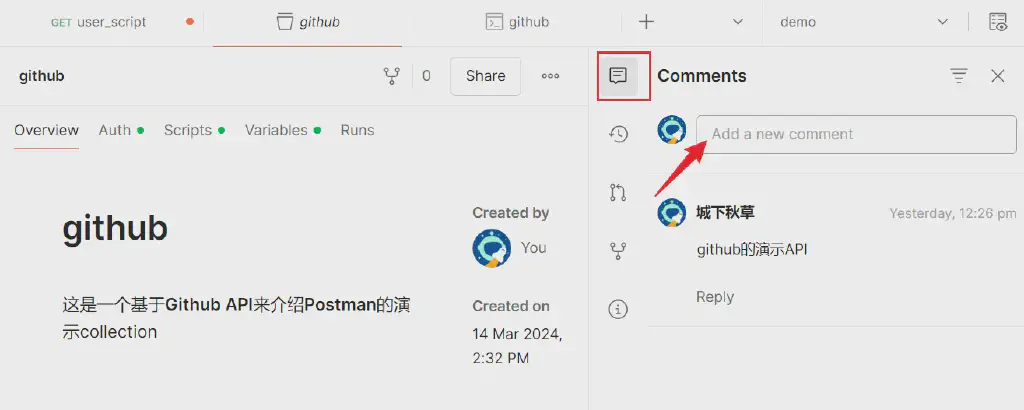
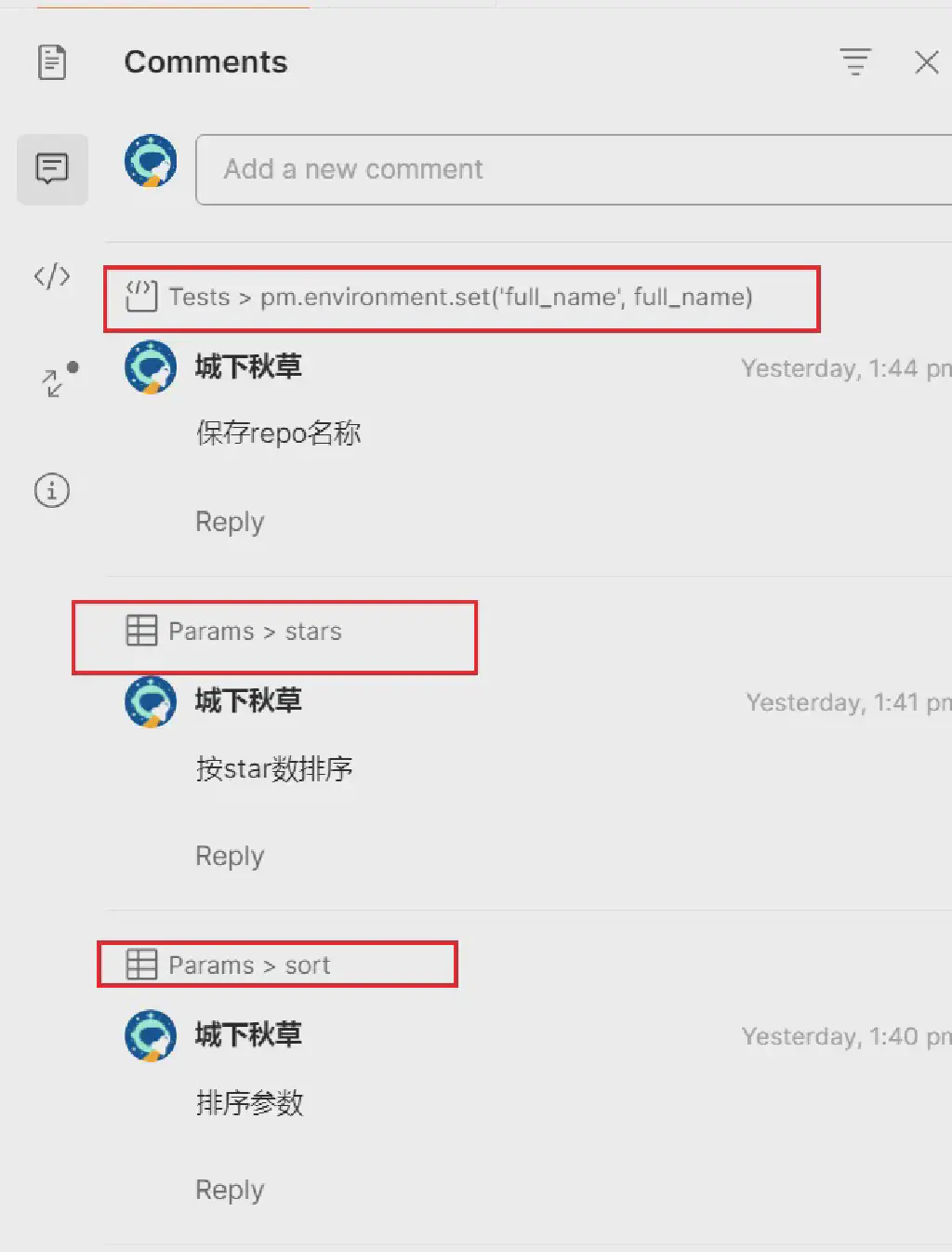
But these comments are at the API level, whereas in actual collaboration people more often need to discuss specific message bodies, message parameters, and even API scripts. So the improvement in the new version is to add comment entry points in these places, making it easy to add comments directly to different objects and associate them
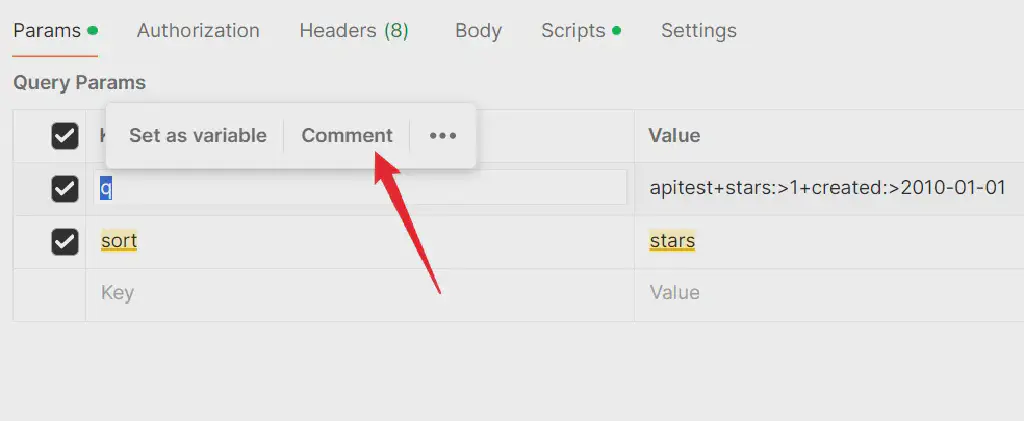
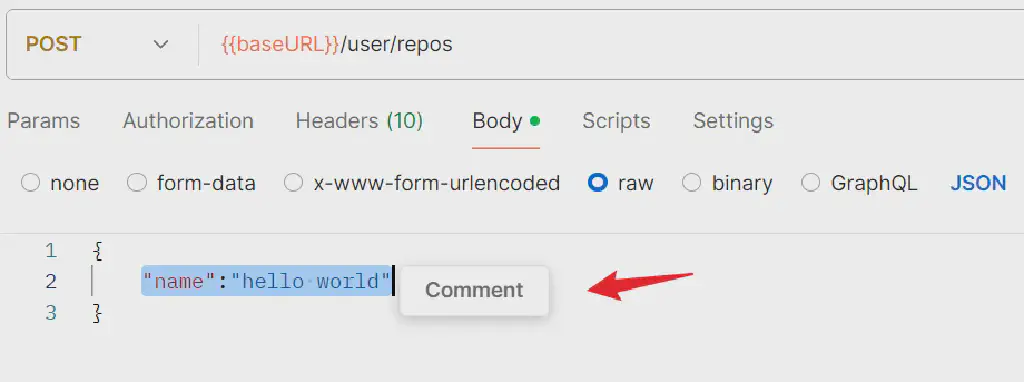
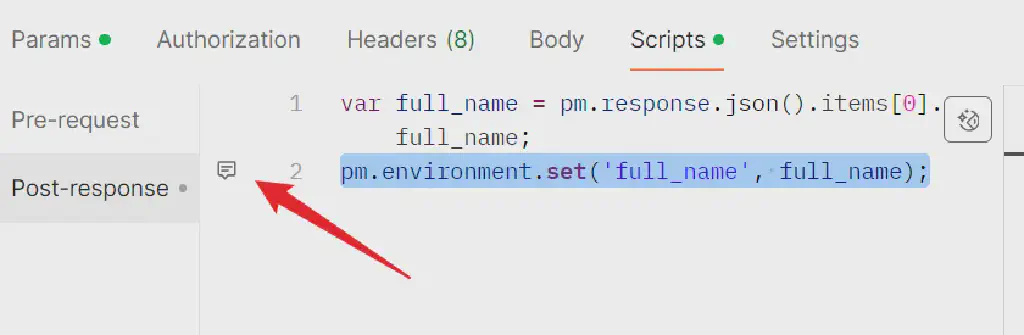 The comment window will also display the relevant elements associated with a specific comment, making it easier for team members to discuss specific objects
Code Reuse: Introducing the Package Library
Another update is about code reuse. Postman supports flexible scripting, but in previous versions, when we wanted to use the same piece of script across different APIs, we generally still copied and pasted. To solve this problem, similar to test fragments in JMeter, this version of Postman introduces a new functional module, Package Library, which lets you save frequently reused scripts and functions as packages, and then simply import the package wherever you need to use it
In Scripts (the current version has moved the former PreRequest and Tests scripts together under the scripts tab), this new entry has been added to the code assistance panel on the right
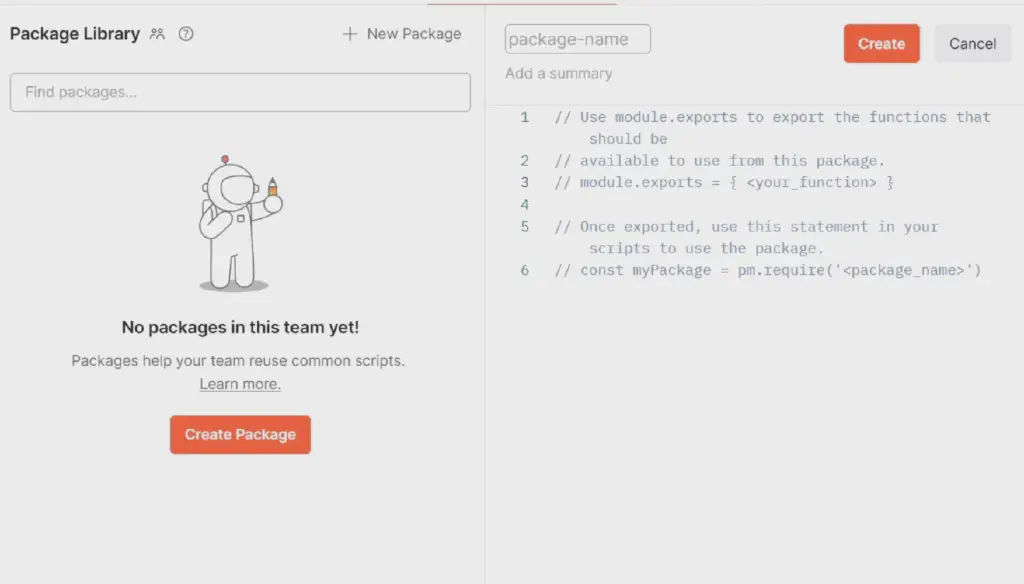
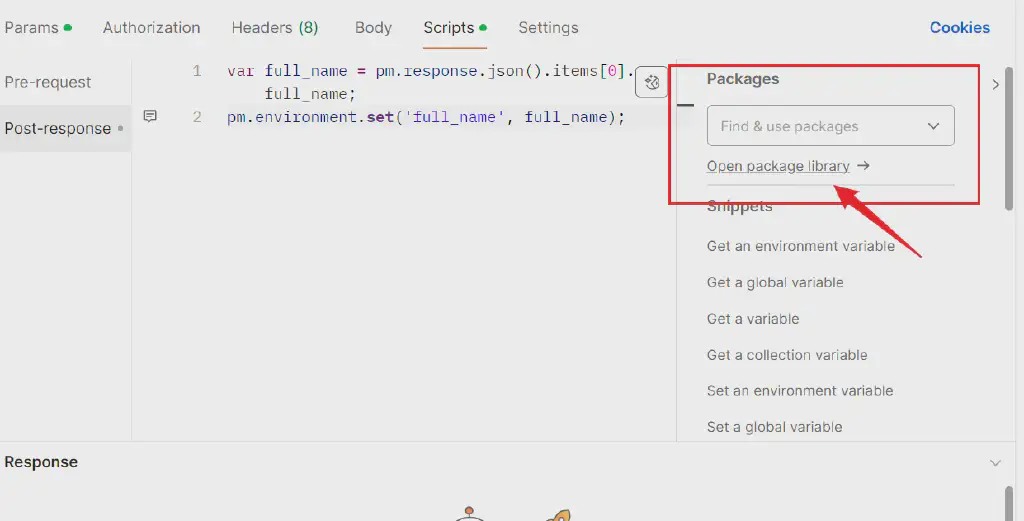 In this module, you can proactively add the code you need to reuse as a Package
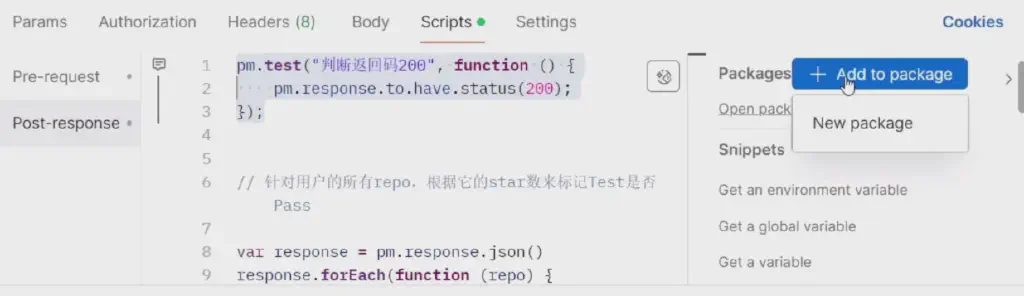
 Or you can also select the code to reuse from existing code and add it to a package
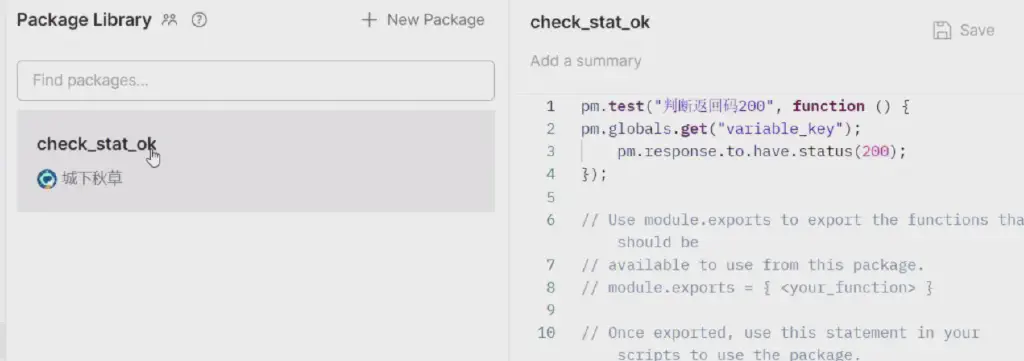 To use it, simply search for the code package you want to reuse in the package search box, and the corresponding code will be inserted automatically, achieving reuse
| |
Official VSCode Extension Support
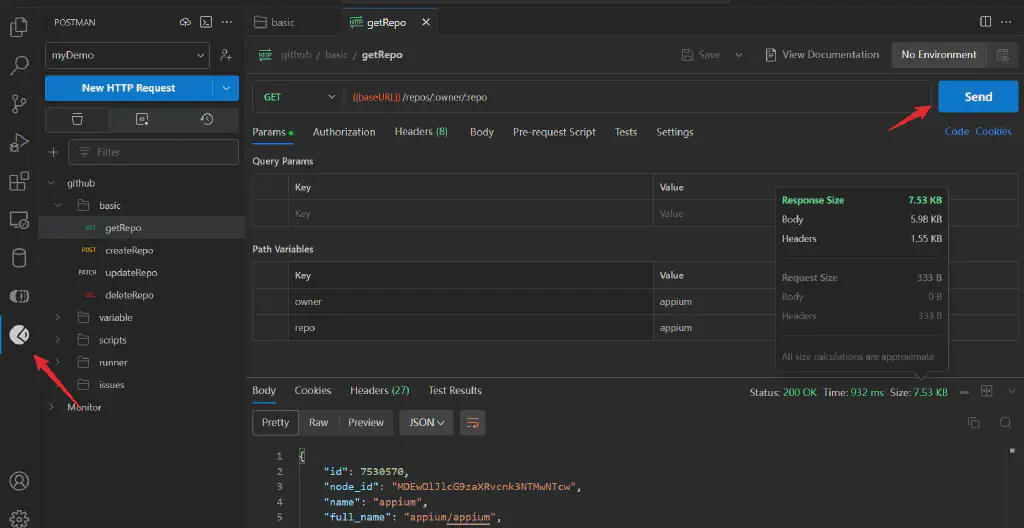
Another update is that this version officially launches the official VSCode extension. After searching for and installing it from the extension marketplace, you need to log in to your Postman account, and then you can use Postman directly in VSCode to complete API debugging. The features are basically similar to those of the desktop app.
Workspace update: Sharing API Changes
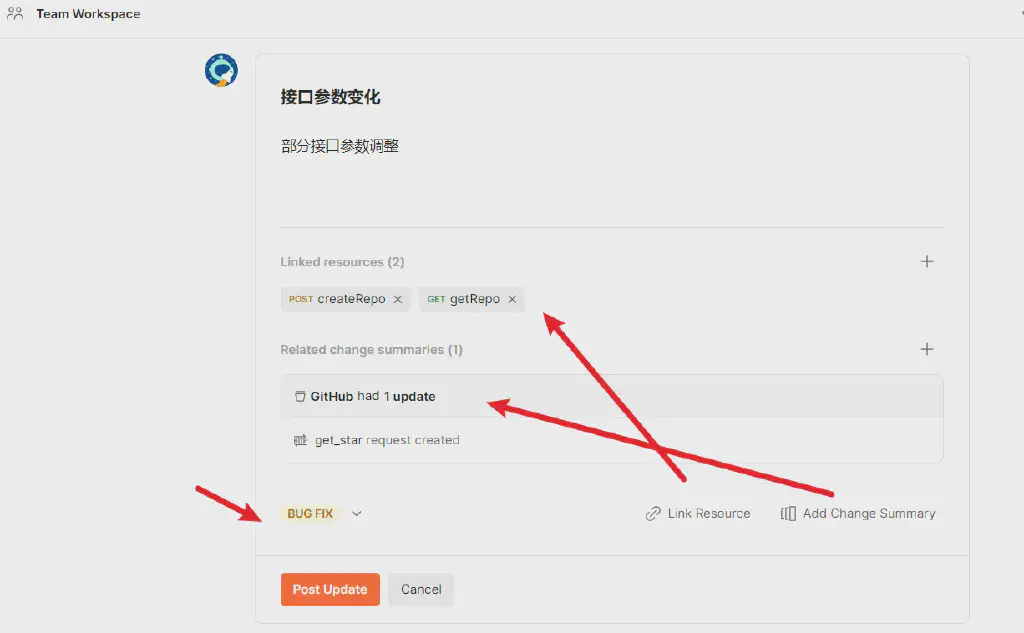
In Postman’s transformation into a collaboration platform, its Workspace is a core concept. And for team collaboration, when jointly developing APIs, it is critical that team members can learn about the relevant changes in this space where everyone collaborates, in a timely manner.
The workspace update feature provided in the new version is actually quite similar to commit records in code management: it can record API changes in the space, make it easy to trace history, and notify team members in a timely manner.
Of course, this update currently only applies to team workspaces and public workspaces.
PostBot, the API AI Bot
Another major update in the new version is a great enhancement of the AI capabilities of the Postman assistant bot.
For example, postbot can help us generate some corresponding validation scripts

Or, for a collection, you can summon postbot and use the generate tests feature it provides to automatically generate a series of test cases for the API definition, which is very convenient and greatly reduces the development cost of API test automation cases
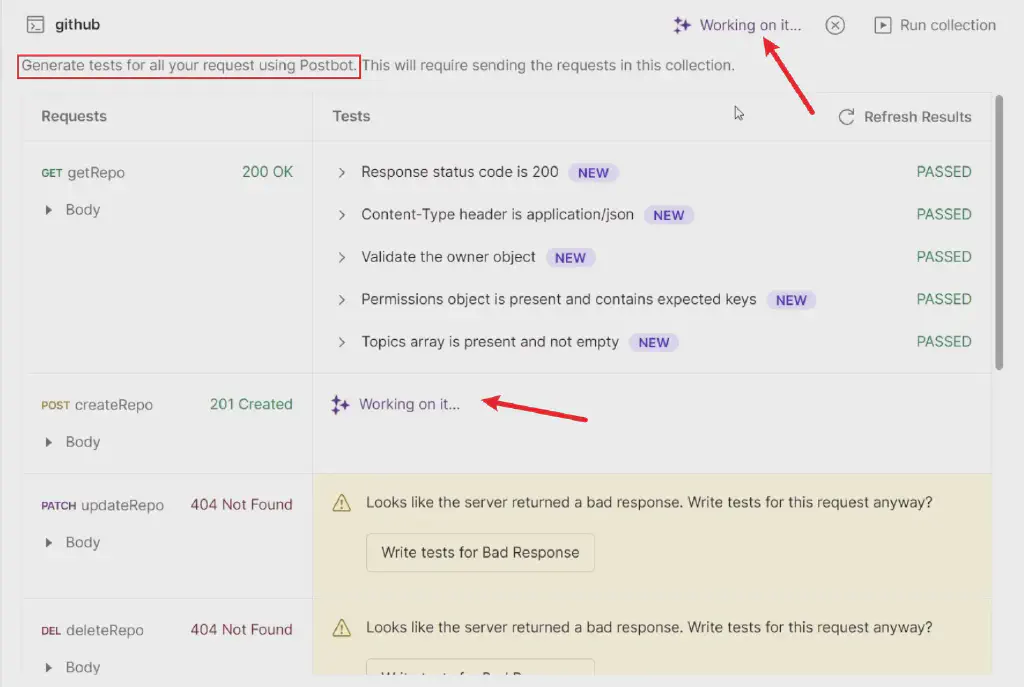
With the enhancement of AI capabilities and the integration of testing tools with AI, using AI to help testers improve testing efficiency and output has increasingly become an obvious trend.
The above is a sharing of the new features in the latest released version of Postman. Welcome to follow~